Cheapest Printer Ink Per Page: Spend Less

Printer ink per page is often lowest with ink-tank printers, at roughly 0.2–0.8 cents per black page and 0.5–2 cents per color page; among cartridge models, high-yield cartridges usually cost less per page than standard ones. If you chase the lowest cartridge price on the shelf, you can still pay several times more per page, lose ink to cleaning cycles, and end up with a printer that costs more over its life. This guide shows you how to calculate true cost per page, compare cartridges with tanks and compatibles, and match the cheapest option to your print mix.
That answer only holds if the printer fits the job. A student printing essays a few times a week, a remote worker printing invoices every day, and a family printing glossy photos will see very different costs even when the cartridge box shows a similar yield.
What does cheapest printer ink per page really mean?
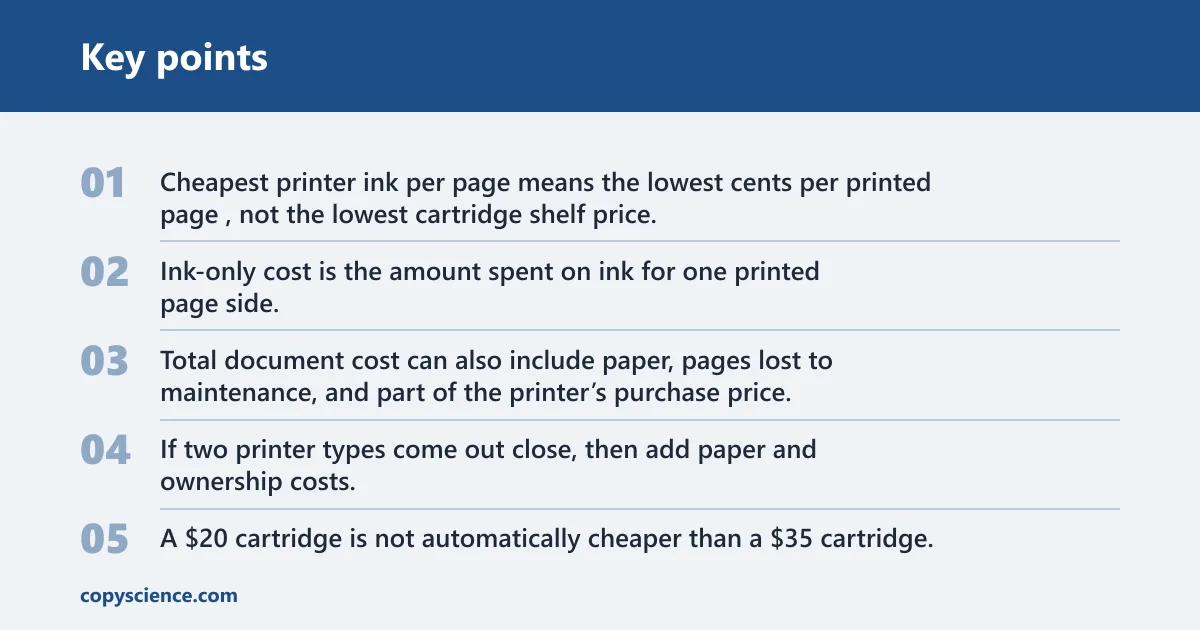
Cheapest printer ink per page means the lowest cents per printed page, not the lowest cartridge shelf price. To compare printers fairly, first isolate ink cost per page, then compare black and color pages separately, and treat photos as a separate category from text documents.
Ink-only cost versus total document cost
Ink-only cost is the amount spent on ink for one printed page side. Total document cost can also include paper, pages lost to maintenance, and part of the printer’s purchase price.
For most buying decisions, begin with ink-only cost in cents per page, the cartridge or bottle cost divided by the maker’s rated yield. If two printer types come out close, then add paper and ownership costs.
Why cents per page beats sticker price
A $20 cartridge is not automatically cheaper than a $35 cartridge. If the $20 cartridge yields 150 pages, its ink cost is 13.3 cents per page. If the $35 cartridge yields 600 pages, its ink cost is 5.8 cents per page.
The gap can grow when cleaning cycles use extra ink or when a tri-color cartridge must be replaced even though one chamber still has usable ink.
Black, color, and mixed-use averages
Black pages usually cost less than color pages because the printer either uses only black ink or far less total ink. A mixed-use average can help, but only after you separate black text, color documents, and photos.
Suppose a household prints 150 black text pages, 30 color handouts, and 10 photos per month. One blended average can hide the fact that the photos may consume more ink value than the 150 text pages combined.
How do you calculate printer ink cost per page?
Use a simple formula: cartridge or bottle price divided by rated page yield, then convert dollars to cents. Calculate black and color separately because they behave differently, and adjust the result when your real pages use more ink than the standardized yield test assumes.
The basic formula
The base math is straightforward:
- Black ink cost per page = black cartridge or bottle price ÷ rated black yield
- Color ink cost per page = color cartridge set or bottle cost ÷ rated color yield
- Convert to cents = result in dollars × 100
Example: a black cartridge priced at $30 with a 600-page yield costs 5.0 cents per black page. A color cartridge priced at $36 with a 300-page yield costs 12.0 cents per color page.
How to calculate black and color separately
If a printer uses one black cartridge and one tri-color cartridge, calculate each one on its own. If a printer uses separate cyan, magenta, and yellow cartridges, add the prices of the color cartridges being compared as a set when you estimate a full-color page cost.
Manufacturers usually list black yield and color yield separately under ISO/IEC testing methods. Use those numbers before making any real-world adjustment.
How real coverage changes the result
Yield ratings come from standardized ISO/IEC test pages that use light ink coverage, often about 5% of the page area for office-document comparisons. A sparse email printout may land near that level. A worksheet with bold headers, a flyer with logos, or a color presentation can run far above it.
If coverage doubles, actual cost per page often rises sharply because the cartridge reaches empty sooner. Duplex printing does not change ink used per printed side; it lowers paper cost per sheet used.
How to run the math
- List cartridge prices. Write down the current price for each black cartridge, color cartridge set, or refill bottle set you are considering. Use the same seller type for all options, because sale pricing can distort the comparison.
- Record rated yields. Pull the published black and color yields from the product box or manufacturer listing. Use the ISO/IEC-rated figure if one is provided, because it is the closest apples-to-apples comparison available.
- Divide price by yield. Calculate black and color costs separately, then multiply by 100 to express each result in cents. Keep photo printing out of this first pass, because photo pages rarely behave like standard office pages.
- Adjust for page mix. Estimate how many monthly pages are plain text, mixed graphics, and photo prints. If your real pages are heavier than basic documents, expect actual cost per page to come in above the rated figure.
- Add waste allowance. Include any cleaning-cycle waste, alignment pages, and premature replacements from dried ink or a half-empty tri-color cartridge. This is often the difference between a printer that looks cheap and one that is actually cheap to own.
Why page yield numbers need context
What ISO/IEC yield standards measure
ISO/IEC page-yield standards give you a consistent way to compare many printers and cartridges. For common desktop inkjets, manufacturers often cite ISO/IEC 24711 and related methods for reporting color and black ink yields. Those tests do not promise exact home results, but they are the best starting point for side-by-side comparison.
The 5% coverage baseline and its limits
A common office-document baseline is often around 5% page coverage. That is light use, a normal letter with modest text and little or no graphics. It is useful for comparing one cartridge to another, but it does not describe every job.
Classroom handouts with bold icons, newsletters with charts, and shipping labels with dense black blocks often run above that level. Photos are far beyond it.
Why photos and graphics break simple comparisons
Photo printing uses much more ink than plain text because large areas of the page are filled with color. On photo paper, the printer also aims for smoother gradients and denser color. That changes the economics completely.
Picture a parent printing twenty 4×6 vacation photos in high quality. The printer may burn through color ink quickly even if the same machine feels cheap to run for school forms and recipes.
Which ink system costs less over time?
The lowest long-term cost depends on the ink system, page volume, and print mix. High-yield cartridges usually beat standard-yield versions on cost per page, individual color cartridges waste less than tri-color units when one color empties early, and ink tanks often have the lowest running cost but the highest upfront price.
Standard-yield versus high-yield cartridges
High-yield cartridges cost more to buy but often cut the cost per page. If a standard black cartridge costs $22 for 200 pages, that is 11.0 cents per page. If the high-yield version costs $38 for 600 pages, that is 6.3 cents per page.
The trade-off is cash outlay and storage. High-yield makes more sense when the printer gets regular use.
Black plus tri-color versus individual color cartridges
Tri-color cartridges combine cyan, magenta, and yellow in one unit. If magenta runs out first, the whole cartridge may need replacement even when cyan and yellow remain. That raises real color cost.
Individual color cartridges cut that specific waste. They are usually the better fit for users who print charts, school projects, or photos with uneven color usage.
Ink tank printers and refill bottles
Ink tank printers store ink in refillable reservoirs fed by bottles, not small disposable cartridges. Their bottle yields are much higher, which is why black-page costs often fall around 0.2–0.8 cents and color-page costs around 0.5–2 cents.
The catch is purchase price. Ink tank printers usually cost more upfront than comparable cartridge models.
| System | Typical upfront printer price | Typical black ink cost per page | Typical color ink cost per page | Main cost risk |
|---|---|---|---|---|
| Standard-yield cartridges | Lower | Often 8–15 cents | Often 12–25 cents | Frequent replacement |
| High-yield cartridges | Lower to mid | Often 4–9 cents | Often 8–18 cents | Higher cartridge purchase price |
| Ink tank bottles | Mid to higher | About 0.2–0.8 cents | About 0.5–2 cents | Higher printer purchase price |
When are ink tanks actually cheaper than cartridges?
Ink tanks are usually cheaper over time when monthly printing is steady, text-heavy, or moderately color-heavy. They are less compelling for very occasional users who print little, wait months between jobs, or may never print enough pages to recover the higher printer purchase price.
Low-volume and occasional printing
If a printer sits idle for long stretches, ownership cost can shift away from rated page yield and toward maintenance waste. Infrequent inkjet use can trigger cleaning cycles, dried nozzles, and wasted partial supplies.
That means a low per-page tank number does not guarantee low annual cost for a household printing ten pages one month and none the next.
Text-heavy home and small-office printing
Text-heavy users are the strongest case for ink tanks. Students, remote workers, and small offices that print bills, drafts, return labels, class packets, or invoices can burn through cartridges fast enough to make bottle economics matter.
Say your home office prints 400 black pages and 40 color pages per month. At 6.0 cents per black page, cartridge black ink alone would cost about $24 per month. At 0.5 cents per black page, a tank system would cut that to about $2 before color and waste are added.
Photo-heavy printing and break-even logic
Photo-heavy printing changes the math because coverage is high and photo quality settings use more ink. Some tank printers are still economical for photos, but the right comparison is not a standard text yield; it is the cost of your actual photo output plus paper.
Break-even is simple: compare the extra upfront cost of the tank printer with the monthly ink savings. If a tank model costs about $180 more to buy and saves about $15 per month in ink, break-even is about 12 months.
How much can compatible and remanufactured ink really save?
Compatible and remanufactured cartridges can lower ink cost materially, sometimes enough to beat OEM cartridges on cents per page, but savings are not automatic. Print quality variation, chip-recognition problems, firmware issues, leakage risk, and weak return policies can erase the price advantage.
OEM, compatible, and remanufactured compared
OEM cartridges come from the printer brand. They usually offer the most predictable fit, support, and firmware compatibility, but they are often the most expensive option.
Compatible cartridges are newly made by a third party to work in that printer. Remanufactured cartridges are used OEM shells that have been cleaned, refilled, and resold.
On paper, third-party options can cut cost per page a lot. In practice, the real question is whether the lower price survives misfires, rejected cartridges, and pages that need reprinting.
Risk signals to check before buying
- Clear stated page yields, not just “XL” or “high capacity” marketing
- Printer-model-specific compatibility list
- Return and refund policy that covers recognition failures or print defects
- Recent buyer reports mentioning firmware updates
- Packaging that protects against leakage in transit
When third-party ink is a bad fit
Third-party ink is a poor fit when color accuracy matters, when the printer model is known for strict cartridge authentication, or when downtime costs more than the savings. That can include client-facing photo work, school deadlines, or a small office with one shared printer.
A common first-timer mistake is buying the lowest-cost compatible set for a tri-color cartridge printer, then finding that the printer rejects one chip after a firmware update. The delay can cost more than the saved dollars if time matters.
Which printer settings and features cut ink costs most?
Draft mode, grayscale printing, and choosing high-yield or tank hardware usually have the biggest measurable effect on ink cost. Duplex printing helps total document cost by saving paper, but it does not reduce ink used per printed side, so it should not be treated as an ink-saving feature.
Draft mode and eco mode
Draft or eco mode lowers ink density. It works best for internal documents, proofreading, and temporary copies where sharp blacks and smooth graphics matter less.
The trade-off is legibility and appearance. Small text, fine lines, and low-contrast charts can become harder to read.
Grayscale printing for non-color documents
If color is unnecessary, grayscale can preserve color cartridges by leaning on black ink. That matters on printers where color inks are expensive or where tri-color cartridges empty unevenly.
Grayscale is especially useful for web articles, reference copies, and draft handouts. It is less suitable for charts that depend on color coding.
Duplex printing and what it really saves
Automatic duplex printing reduces paper used per document because both sides of a sheet are used. It does not reduce ink consumed for each printed page side. A ten-page duplex document still uses about the same ink as ten single-sided printed page sides.
So duplex belongs in a total document cost calculation, not an ink-only cost calculation.
Features worth paying
- Support for high-yield cartridges
- Individual color cartridges instead of one tri-color cartridge
- User-selectable draft or eco mode
- Automatic duplexing, if paper cost matters
- Clear supply reporting and maintenance controls
Why printer ink costs so much
Printer ink is pricey for a simple reason: the cartridge often helps subsidize the printer itself, so the real cost shows up later in replacements. The supporting article breaks down the main drivers behind that price, explains why low-capacity cartridges can make printing far more expensive per page than the hardware, and shows when a refillable tank system is the lower-cost choice.
That matters because the cheapest printer to buy is not always the cheapest to own. If you print regularly, understanding the math behind printer ink costs can help you choose a setup that fits your monthly volume and avoid paying more for ink than you did for the printer.
What hidden costs raise the real price of printing?
Hidden printing costs include cleaning cycles, nozzle clogs, dried ink, wasted alignment pages, premature cartridge replacement, and the printer’s purchase price. These costs often matter most for occasional users, who may lose ink to maintenance even when page counts look low on paper.
Cleaning cycles, clogged nozzles, and dried ink
Inkjet printers use ink for maintenance. Head cleaning can consume measurable amounts of black and color ink, especially if the printer sits idle and nozzles dry slightly between jobs.
This is one reason occasional users should be careful with total-cost claims based only on rated yield.
Replacement frequency and wasted partial supplies
Frequent cartridge changes create more opportunities for waste. Every replacement cycle can include alignment pages, priming, or a half-used tri-color cartridge retired because one channel hit empty first.
Small cartridges magnify this problem. Larger cartridges or bottles reduce the number of replacement events over a year.
Printer purchase price and ownership cost
The printer itself is part of cost per printed page over time. A machine that costs $100 less but burns through expensive cartridges can lose that advantage within months. A more expensive tank model can win later if page volume is high enough.
For home users and small offices, ownership cost usually includes:
- Printer purchase price
- Replacement ink or refill bottles
- Paper
- Maintenance waste
- Downtime or reprint waste from bad supplies
Use-case fit by household or office type
Occasional user: prioritize a printer that stays reliable with low monthly volume, and be realistic about maintenance waste.
Student: compare black text cost first, then mixed-color handouts second. High-yield cartridges or entry ink tanks often make the most sense.
Remote worker: focus on black-page cost, support for high-yield supplies, and automatic duplexing for paper savings.
Photo-heavy family: treat photos separately from documents. Ink and photo paper together drive the decision.
Printing cost worksheet
Printable audit table
Use this text-only worksheet to estimate true cost per page with three required inputs: supply price, rated yield, and real monthly page mix. Then add waste from cleaning cycles and replacement frequency.
| Line item | Your number | How to calculate |
|---|---|---|
| Black cartridge or bottle price | $______ | Use current purchase price for the black supply |
| Rated black yield | ______ pages | Use published ISO/IEC yield when available |
| Black ink cost per page | ______ cents | (Black price ÷ black yield) × 100 |
| Color cartridge set or bottle set price | $______ | Use total price for color supplies being compared |
| Rated color yield | ______ pages | Use published ISO/IEC color yield when available |
| Color ink cost per page | ______ cents | (Color price ÷ color yield) × 100 |
| Monthly text pages | ______ pages | Mostly black documents near basic office coverage |
| Monthly mixed pages | ______ pages | Pages with charts, logos, fills, or classroom graphics |
| Monthly photo pages | ______ pages | Keep these separate from document pages |
| Estimated monthly black-ink spend | $______ | Black cost per page × black text pages, adjusted if coverage is heavy |
| Estimated monthly color-ink spend | $______ | Color cost per page × mixed pages, adjusted upward for heavy graphics |
| Estimated monthly photo-ink spend | $______ | Use a separate estimate based on your printer’s photo usage pattern |
| Monthly cleaning or alignment waste | $______ | Add the ink value lost to maintenance pages and cleaning cycles |
| Partial-supply replacement waste | $______ | Add value lost when tri-color or dried cartridges are replaced early |
| Total monthly ink cost | $______ | Black spend + color spend + photo spend + waste |
| Total monthly printed pages | ______ pages | Text + mixed + photo pages |
| True average ink cost per page | ______ cents | (Total monthly ink cost ÷ total monthly pages) × 100 |
How to use the worksheet well
- Fill current prices. Enter what you would actually pay today for cartridges or bottles, not the printer maker’s suggested retail price if you never buy there. The goal is a buying decision based on real replacement cost.
- Separate page types. Keep text, mixed, and photo pages apart instead of averaging them too early. That stops low-cost text pages from hiding expensive photo printing.
- Add maintenance waste. Include a monthly dollar estimate for cleanings, alignments, and dried-out supplies. Even a small allowance makes the worksheet more realistic for occasional printing.
- Compare two systems. Run the same worksheet for a cartridge printer and a tank printer, or for OEM and compatible supplies. Use identical monthly page counts so the comparison stays fair.
- Check break-even. If one printer costs more to buy but less to run, divide the upfront price difference by the monthly savings. That shows how long it takes the cheaper-running model to catch up.
Frequently asked questions
What is the cheapest printer ink per page?
Usually, ink-tank printers are cheapest per page, with many falling around 0.2–0.8 cents for black and 0.5–2 cents for color under published yield assumptions. Among cartridge printers, high-yield cartridges usually offer lower cents-per-page than standard-yield versions, though total cost still depends on page mix and maintenance waste.
How do I calculate cost per page for printer ink?
Divide the cartridge or bottle price by its rated page yield, then multiply by 100 to convert dollars to cents. Run separate math for black and color. After that, adjust expectations upward if your pages use heavy graphics, photos, or frequent cleaning cycles.
Are ink tanks cheaper than cartridges over time?
Often yes, but only when printing volume is high enough to recover the higher purchase price. Regular text printing usually favors tanks fastest. Very occasional users may not break even quickly, and maintenance behavior can matter more than the published per-page figure.
Is black ink always cheaper per page than color?
Usually, but not in every printed scenario. Black text pages tend to cost less because they use less total ink and simpler coverage. Color documents and especially photos consume more ink, so their cost per page is normally higher even when the printer’s rated yields look close.
Do compatible or remanufactured cartridges really save money?
They can, if the cartridges fit correctly, print cleanly, and are not blocked by firmware or chip issues. The safe comparison is real delivered cost per usable page, not the box price alone. Check yield claims, compatibility lists, and the return policy before treating them as savings.
What hidden costs should I factor into printer ink prices?
Include cleaning cycles, alignment pages, clogged nozzles, dried ink from infrequent use, wasted partial tri-color cartridges, replacement frequency, paper, and the printer’s purchase price. Those factors often explain why a cheap printer with cheap-looking cartridges ends up costing more over a year.