Best Label Maker for Home: Top Picks for Every Use

The best label maker for home use depends on the job: choose laminated tape for pantry, cable, and bin labels; thermal sticker printers for mailing and kids’ labels; and refill costs under about $0.02 per inch for heavy use. Choose poorly, and labels fade, tape gets wasted, clutter gets harder to sort, and the machine can cost more to feed than to buy. This guide matches top picks to pantry jars, toy bins, school gear, cables, files, shipping, and small-space storage.
For most homes, the Brother P-touch PT-D220 is the safest pick because it pairs easy setup with clear printing, and its tape costs usually stay easier to manage than many app-first alternatives.
Quick picks
| Pick | Best for | Control type | Max tape width | Refill cost position | Key drawback |
|---|---|---|---|---|---|
| Brother P-touch PT-D220 | Most homes, drawers, folders, bins | Keyboard | — | Usually low among laminated tape models | Less flexible for design-heavy labels than app-based models |
| Brother P-touch Cube Plus | Bluetooth home projects, multi-line pantry and storage labels | Smartphone | 24mm | Mid to high, depending on tape width | Phone dependence slows quick one-off labels |
| Brother P-Touch PT-N10 | Lowest entry price, simple home labeling | Keyboard | — | Budget-friendly entry point | Basic feature set |
| Brother P-Touch N25BT | Budget Bluetooth with backup onboard controls | Keyboard and smartphone | . | Moderate | Less compelling if you never want app features |
| Epson Labelworks LW-C610PX | Pantry jars, storage bins, varied tape materials | Bluetooth | 24mm | Varies widely by tape type | Higher buy-in than basic handhelds |
| DYMO LetraTag 100H | Light handheld use, simple labels | Keyboard | . | Affordable tapes | Narrower, simpler output than wider-tape models |
| Rollo Wireless Printer | Frequent 4×6 shipping labels | Wireless | 4×6 shipping labels | Low per shipping label at volume | Overkill for pantry, files, and casual home labeling |
| MUNBYN ITPP941 | Lower-cost 4×6 shipping setup | Thermal printer | 4×6 shipping labels | Low per shipping label at volume | Still too specialized for general home organization |
Which label maker type fits your home?
A keyboard label maker fits most homes when labels are short, quick, and used by more than one person. A Bluetooth model makes more sense when you need more control over layout, more symbols, or wider tape. A 4×6 shipping printer makes sense only if the home mails often enough to justify a dedicated machine.
Keyboard models for fast one-off labels
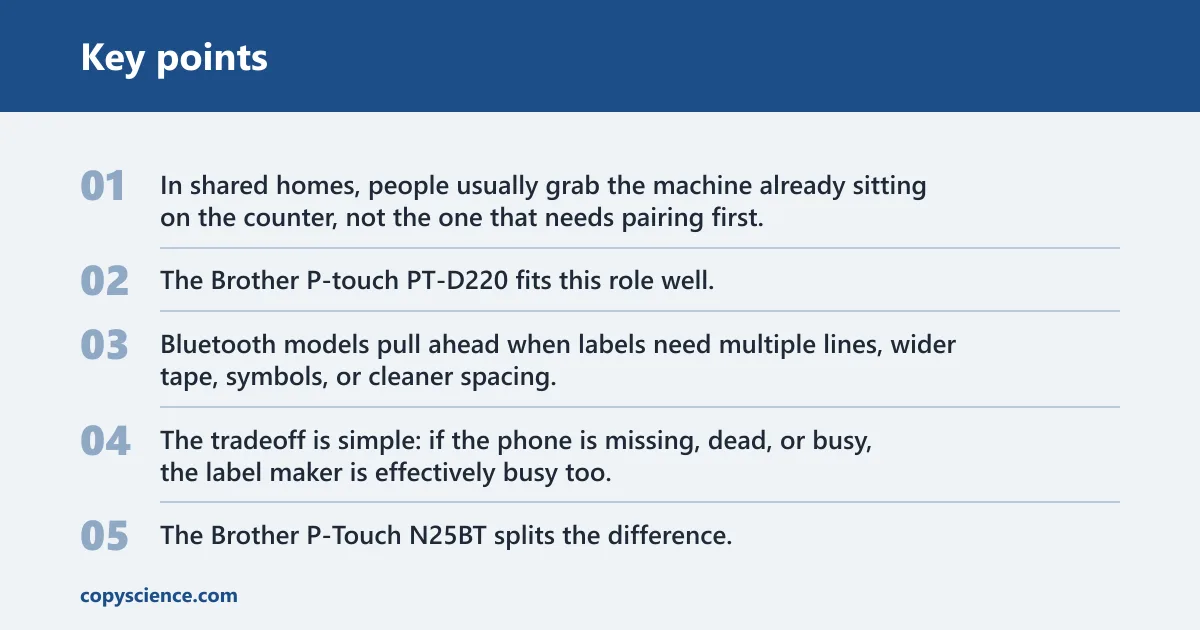
Keyboard units work best when someone wants to label a folder, tote, or charger cable in 20 seconds without opening an app. That matters more than many buyers expect. In shared homes, people usually grab the machine already sitting on the counter, not the one that needs pairing first.
The Brother P-touch PT-D220 fits this role well. So do the Brother P-Touch PT-N10, the DYMO LetraTag 100H, and the Brother P-touch PT-H110 if portability matters more than desk use.
Bluetooth models for layout control and shared lists
Bluetooth models pull ahead when labels need multiple lines, wider tape, symbols, or cleaner spacing. The Brother P-touch Cube Plus prints up to four lines of text, uses 360dpi print resolution, and supports a 24mm maximum label size. It also includes 130 fonts, more than 60 frames and patterns, and 450+ symbols and emojis.
That extra control helps on pantry canisters, toy rotation bins, and cleaning-supply labels that need bigger type or a second line. The tradeoff is simple: if the phone is missing, dead, or busy, the label maker is effectively busy too.
The Brother P-Touch N25BT splits the difference. It is a personal connected label maker with dual control from onboard keys and smartphone, which is easier to live with in a family kitchen or homework area than a phone-only model.
4×6 shipping printers for parcel volume
Rollo Wireless Printer and MUNBYN ITPP941 solve one specific problem well: printing 4×6 shipping labels quickly, without tape cartridges. If the home ships through USPS, eBay, or Shopify often, that can work better than trimming tape labels down to size.
For normal household labeling, they are the wrong shape, the wrong media, and the wrong workflow. They do not replace a tape label maker for file tabs, bins, pantry jars, or freezer containers.
Tape width, power source, and cutter differences
Wider tape usually makes labels easier to read. That matters for seniors, dim closets, and bins stored above eye level. Narrow tape works for pencils and charging bricks, but it can make pantry labels feel cramped, especially when the text must be read from two or three feet away.
Battery-powered handhelds like the Brother P-touch PT-H110 are easier to carry from room to room. Desk-based or less portable units often feel steadier when a home labels many items in one sitting. Automatic cutters also matter more than many buyers expect when making dozens of pantry or storage labels back to back.
Home tasks decision table
| Home task | Readability | Adhesion | Refill cost | Best device type | Avoid this if… |
|---|---|---|---|---|---|
| Pantry jars | Medium to high; wider tape helps from arm’s length | Needs strong hold on glass and repeated wiping | Moderate to high if using wider laminated tape | Bluetooth or keyboard tape label maker with wider tape options | You plan to use very narrow tape on curved jars |
| Storage bins | High; labels are often read from farther away or overhead | Needs better hold on plastic, sometimes textured | Moderate; wide tape can raise running cost | Tape label maker with durable laminated labels | The bin surface is rough and you expect paper-style stickers to stay put |
| School supplies | Low to medium; short names fit narrow labels | Needs decent hold on smooth plastic and notebooks | Can stay low with narrow labels and short text | Compact handheld or mini Bluetooth model | You need large text for room-distance reading |
| File folders | Medium; crisp text matters more than width | Usually easy on flat paper surfaces | Often the most manageable ongoing cost | Keyboard label maker for quick, repeated tabs | You want icons, multiple lines, or decorative layouts |
| Craft labels | Varies; often small but needs clean alignment | Depends on paper, plastic bags, or boxes | Ranges from low to high depending on media choice | Bluetooth label maker with layout control | You need the fastest possible one-tap labels |
Pantry jars are not storage bins
Many competitor roundups blur these together, but the failure points differ. Pantry jars are often curved, handled often, and wiped down. Storage bins are usually flatter, larger, and read from farther away.
Picture a clear flour jar with a narrow label wrapped across the curve. The ends can lift before the center does, and small type gets harder to read once the jar moves to a high shelf. On a flat tote front, the same tape might hold fine yet still look too small from six feet away.
School supplies are not file folders
School labels are usually short names on small surfaces. File-folder labels are read in stacks and need clean, compact text more than decorative options. That is why a mini Bluetooth model can work for pencils and lunch boxes, then feel limiting in a home office drawer.
Brother P-touch PT-D220: best overall for most homes
Why it works for drawers, folders, and bins
The PT-D220 gets the main recommendation because it handles everyday jobs with less friction. Setup is straightforward. Labels print clearly. For homes that mostly need file tabs, storage bins, and utility labels, a keyboard model is usually faster than reaching for a phone.
Choose this machine when the labeling habit matters more than design options. A label maker that starts fast tends to get used more.
Where its tape cost stays reasonable
The PT-D220 makes the most sense for medium-volume home use where labels are short and functional. File folders, charging cables, drawer fronts, and toy bins usually do not need wide tape or decorative layouts. That keeps refill use more controlled than on wider pantry labels.
A common first-timer mistake is buying a wide-tape system, then printing every small label with large margins. Running cost climbs fast. A simpler keyboard model avoids some of that waste because it is usually used for shorter, narrower labels.
Who should skip it?
Skip the PT-D220 if the home wants app-based design, larger pantry labels, or frequent multi-line layouts. It is also not the right tool for regular shipping labels. In those cases, the better picks are the Brother P-touch Cube Plus, Epson Labelworks LW-C610PX, or a dedicated 4×6 thermal printer.
Brother P-touch Cube Plus: best Bluetooth label maker for home projects
What you get for $99.99
At $99.99, the Brother P-touch Cube Plus is the more flexible home-project pick. Business Insider selected it as the best overall label maker. It has 100 memory slots, which helps when a home repeats pantry categories, kids’ names, or storage labels season after season.
When 24mm tape and 360 dpi matter
The wider 24mm limit and 360dpi output matter when labels must be read quickly from a distance, under cabinet lighting, or by someone with weaker near vision. Wider tape leaves more room for larger fonts, better spacing, or a second line such as date or category.
Say your pantry uses matching 64-ounce glass jars on an upper shelf. A two-line label with a larger product name and a smaller subtitle is easier to scan than a cramped narrow strip. That is the kind of job where the Cube Plus earns its price.
Best uses for multi-line and design-heavy labels
The Cube Plus works better for pantry systems, craft storage, gift tags, playroom categories, and labels that need symbols or varied type.
What is the best cheap label maker for home use?
The best cheap label maker for home use is the Brother P-Touch PT-N10 if low buy-in matters most, while the Brother P-Touch N25BT is the better cheap pick for buyers who still want Bluetooth flexibility. The right budget choice depends on whether speed or layout control matters more.
Brother P-Touch PT-N10 for the lowest entry price
Business Insider’s budget pick is the Brother P-Touch PT-N10 at $24.99. That price makes it the clearest answer for basic folder labels, school items, and occasional drawer or tote labels. Its appeal is simple operation and compact size, not advanced formatting.
Brother P-Touch N25BT for budget Bluetooth control
CNN lists the Brother P-Touch N25BT as the best budget label maker at $40. Its dual-control setup matters. When a phone is handy, it can handle better layouts. When someone just needs a quick label, the onboard controls keep the machine useful.
DYMO LetraTag 100H for lightweight handheld use
The DYMO LetraTag 100H stays relevant because it is portable, lightweight, and often easier on refill budgets than wider, more specialized systems. It fits names on notebooks, pencil cases, and low-stakes storage labels well. It is less convincing for large pantry labels or bins that need strong room-distance readability.
What label maker works best for pantry jars and storage bins?
The best label maker for pantry jars and storage bins is usually the Epson Labelworks LW-C610PX if tape variety and wider labels matter, while the Brother P-touch PT-H110 is the better portable pick for moving room to room. Curved jars and textured bins change the answer more than many buyers expect.
Epson Labelworks LW-C610PX for wider tape and more material choices
CNN named Epson Labelworks LW-C610PX the best label maker. It uses 360 dpi output and works with tape sizes from 4 to 24 millimeters. CNN also says it offers more than 170 different kinds of tape.
That range matters in a home. Jars, plastic bins, freezer containers, and craft boxes do not all call for the same label stock. The automatic cutter also makes repeated pantry labeling less tedious, and the lifetime warranty helps justify the higher initial price for buyers who know they will label often.
Brother P-touch PT-H110 for portable bin and tote labeling
The Brother P-touch PT-H110 is the better pick when the machine needs to travel through closets, the garage, or a child’s room. Battery-powered portability is its edge. Durable labels make more sense here than mini sticker labels that may peel on hard-use bins.
Why curved, textured, and cold surfaces change the pick
Curved containers put tension on the tape edges. Textured plastic reduces contact area. Cold garage bins and freezer containers can expose weak adhesive choices faster than a paper folder ever will. That is why pantry and bin labels deserve durable tape systems rather than the cheapest paper-like option.
Suppose a storage tote has a pebbled front panel. A smooth sticker may look fine on day one, then start lifting at the corners after a few grabs. A laminated tape label with shorter length and firm pressure usually has a better chance there, though very rough texture can still beat any home label maker.
Do you need a shipping label printer at home?
You need a shipping label printer at home only if 4×6 parcel labels are a regular task, not an occasional one. For frequent selling, returns, or side-hustle shipping, a dedicated thermal printer is cheaper per label and faster. For normal household organization, it is too specialized to replace a tape label maker.
Rollo Wireless Printer for frequent 4×6 shipping labels
The Rollo Wireless Printer is the stronger home-shipping pick when wireless convenience matters and packages go out often. It works with USPS, eBay, and Shopify, which covers the common at-home seller workflow better than a general tape label maker ever will.
MUNBYN ITPP941 for a lower-cost shipping setup
The MUNBYN ITPP941 is the budget route into 4×6 thermal shipping labels. It makes more sense than forcing a small tape machine into a job it was never built to do. If the main output is mailing labels, thermal sheets or rolls are the right media.
When a tape label maker is still the better buy
If home shipping means one return every few weeks, a dedicated shipping printer is usually overkill. Tape label makers stay more useful across drawers, pantry goods, files, kids’ gear, and bin systems. A specialized 4×6 printer pays off only when parcel volume is steady.
Should you buy an app-first mini label maker?
An app-first mini label maker is worth buying for casual labels on school supplies, small containers, and simple household tags, but it is rarely the best only label maker for a home. These compact models save space, yet their small format and phone dependence limit pantry, file, and bin work.
Phomemo D30 for compact casual labeling
The Phomemo D30 fits the small-space, light-duty use case well. It is Bluetooth-based, compact, and ink-free. For parents labeling crayons, snack containers, and a few toy drawers, that can be enough.
Where mini label makers fall short for files and bins
Mini app-based models often seem fine until the labels need larger text, cleaner file-tab formatting, or stronger room-distance readability. Narrow output and app friction become the limit. They also feel less practical when different family members need to use the device without borrowing one person’s phone.
Best home jobs for small app-based models
They fit pencil cases, charging blocks, spice-top identifiers, and kids’ supplies. They fit less well on broad storage bins, file folders that need consistent tab lengths, and pantry jars where larger text matters.
How to choose the right label maker for your home
Readability, adhesion, refill cost, and ease of use
- Name the main job. Pick one use first: pantry jars, storage bins, school supplies, file folders, craft labels, or shipping. The right machine changes fast once the surface, viewing distance, and label size are clear.
- Set the viewing distance. If labels will be read from more than an arm’s length away, move toward wider tape and cleaner spacing. Seniors, dim closets, and overhead shelves all favor larger text and more label width.
- Check the surface. Glass jars, flat paper folders, smooth plastic, textured totes, and washable containers do not behave the same. Flat paper is easy. Curves, texture, and repeated wiping push the choice toward durable laminated tape.
- Price the refills. The long-term cost is media, not ink. Most home label makers are ink-free thermal or thermal-transfer devices, so budget for tape cartridges or thermal labels instead of ink cartridges.
- Choose the control style. Buy a keyboard model for speed and shared use, Bluetooth for layout freedom, or dual-control if the home wants both. App-only models can slow quick labels even when they make prettier ones.
- Match portability to routine. A battery-powered handheld makes sense if labeling happens in closets, bedrooms, or the garage. A more desk-oriented model makes sense if labels are printed in batches at a kitchen counter or home office table.
How much should you spend?
Under $30: This range is for entry-level handheld use. The Brother P-Touch PT-N10 is the clearest example when the goal is simple, occasional labels at the lowest buy-in.
Around $40: This is where budget Bluetooth starts to make sense. The Brother P-Touch N25BT is the better value if app layouts matter, especially because it avoids the all-or-nothing phone dependence of some mini models.
Around $100: Spend here for larger tape support, cleaner multi-line labels, and stronger pantry or storage systems. The Brother P-touch Cube Plus at $99.99 fits that role well.
Shipping-printer pricing: Spend more on a dedicated 4×6 thermal printer only if shipping is frequent enough that tape labels feel wasteful or slow. Otherwise, that money is usually better spent on a stronger general-purpose home label maker and a few extra tape cartridges.
Frequently asked questions
What is the best label maker for home use?
For most homes, the Brother P-touch PT-D220 is the best all-around choice because it handles folders, drawers, bins, and everyday household labels without app friction. If the home needs wider, multi-line pantry labels or more design control, the Brother P-touch Cube Plus is the better fit.
Should I get a Bluetooth label maker or a keyboard label maker for home?
Choose a keyboard model for faster one-off labels and easier shared use. Choose Bluetooth when label layout, wider tape, symbols, and multi-line formatting matter more. Homes that want both quick access and app flexibility should look first at dual-control models like the Brother P-Touch N25BT.
Which label maker has the cheapest tape to keep refills affordable?
For low ongoing cost, simpler handheld and keyboard models usually beat wider, design-heavy systems because they push shorter labels and narrower media.
What label maker is best for pantry jars and storage bins?
For pantry jars and storage bins, the Epson Labelworks LW-C610PX is the strongest fit when tape variety and wider sizes matter. If portability matters more, the Brother P-touch PT-H110 is easier to carry around the house while still producing durable labels that suit bins better than mini sticker printers do.
Do label makers need ink or are they ink-free?
Most home label makers are ink-free thermal or thermal-transfer devices, so the recurring cost is tape cartridges or label rolls, not ink. That is why refill pricing matters more than cartridge talk. Shipping printers also avoid ink, but they use larger thermal labels rather than narrow tape.
How much should I spend on a good label maker for home?
Spend under $30 for light, basic use, around $40 for budget Bluetooth flexibility, and about $100 for wider tape and better pantry or craft labeling. Spend more on a 4×6 shipping printer only if mailing is frequent. For many homes, media cost matters more than the machine’s sticker price.