Best Printer for Students with the Lowest Running Costs

An ink tank all-in-one is the best long-term pick for most students who print often, because refillable tanks usually cut black-page costs far below standard cartridges, while still giving you print, scan, copy, and wireless features in one machine. If you print only a little, a cartridge model or mono laser may cost less over time.
Top pick for most students
Quick picks
- Best for light printing: a cartridge inkjet, especially if you print a few pages at a time and can live with higher black-page costs.
- Best for essays only: a mono laser printer, because it is built for fast black text and often includes duplex printing.
- Best for frequent printing: an ink tank printer, because refillable tanks usually have the lowest black-page running costs.
- Best for mixed text and colour coursework: an all-in-one colour inkjet or ink tank model with wireless/mobile printing.
Student printer cost model
This table uses a simple ownership model: purchase price plus black-page running cost over 1, 2, and 3 years. The purchase prices are illustrative street-price examples, while the page-cost figures use the sourced numbers below. It compares total cost by print volume, not every model sold.
| Scenario | Pages per year | 1-year total: cartridge inkjet | 1-year total: mono laser | 1-year total: ink tank | 3-year total: cartridge inkjet | 3-year total: mono laser | 3-year total: ink tank |
|---|---|---|---|---|---|---|---|
| Light use | 100 | £65 | £122 | £200.30 | £85 | £126 | £200.90 |
| Medium use | 500 | £105 | £130 | £201.50 | £205 | £150 | £204.50 |
| Heavy use | 1500 | £205 | £150 | £204.50 | £505 | £210 | £213.50 |
Assumptions used in the model: cartridge inkjet purchase price £55 at 10p per black page; mono laser purchase price £120 at 2p per black page; ink tank purchase price £200 at 0.3p per black page. The cartridge figure matches the HP DeskJet 2820e black-page cost about 10p each on a standard cartridge, and the ink tank figure matches the Epson EcoTank ET-2861 listed at about 0.3p per black page.
Break-even point: the ink tank beats the cartridge inkjet after roughly 1,500 black pages in this model, so it starts to win for students who print a lot over two to three years. The mono laser may beat the cartridge inkjet after about 800 black pages, especially if you mainly print black text and do not need colour.
When subscription ink can be cheaper: HP Instant Ink’s free tier of 15 pages per month can suit very light use, and the 50-page plan at £2.49 per month can beat standard cartridges if you print regularly and stay within the allowance. It is less attractive if your page count changes often or you print too little to use the monthly quota.
Which printer is cheapest to run for a student?
For most students who print often, an ink tank printer is cheapest to run. For students who print mostly black text, a mono laser can be the lower-cost choice over time, especially at medium and heavy volumes. For very light use, a cartridge inkjet can still be the cheapest purchase, even if its page cost is higher.
That answer changes with print frequency. A student who prints one essay and a few handouts each month can get by with a cartridge model or even a subscription plan. A student printing weekly drafts, lecture notes, and project packs is much more likely to save with an ink tank.
Best fit for frequent printing
Ink tank printers use refillable tanks, so the running cost per page stays very low. That is the main reason they win over time, especially for essays, reading packs, and other text-heavy work. The trade-off is a higher upfront price, so they are poor value if the printer sits unused for long stretches.
Upfront price versus long-term cost
The cheap-looking choice can become the expensive one after a few cartridge changes. Standard cartridges often look affordable at checkout, then become costly per page once you start printing assignments. That is why the cost per page matters more than the sale price on the box.
When a tank is overkill
If you print only a few pages every couple of weeks, a tank may never repay its higher purchase price. In that case, a cartridge printer or a subscription plan can be the better buy, especially if you need the machine mainly for occasional scanning and copying.
Should you buy a mono laser for essays only?
Yes, if your work is mostly black text and you want fast, clean pages. A mono laser printer is a strong choice for essays, lecture notes, forms, and draft handouts. The Brother DCP-L2620DW is a mono laser with a quoted 32 ppm speed and supports duplex printing, which helps both speed and paper use.
Text speed and sharpness
Mono lasers are built for text, so they suit page after page of black type. The output is sharp and the printing speed is usually higher than a basic cartridge inkjet. That matters when an assignment deadline is close and you need several copies at once.
Duplex support and paper savings
Automatic two-sided printing can cut paper use, and that matters for students who print lecture notes or long essays. Duplex is standard on some models and optional on others, so check the spec sheet. The Brother DCP-L2620DW includes duplex, which helps reduce paper cost over a full term.
What you give up on colour
A mono laser does not suit colour-heavy coursework, posters, or photo printing. It is a black-only machine, and that is the point. If your course work needs charts in colour or occasional photo prints, a colour inkjet or ink tank is the safer choice.
When a cartridge inkjet still makes sense
A cartridge inkjet still makes sense for low-volume students, mixed homework, or a tight upfront budget. It is the cheapest way to get basic printing, scanning, and copying in one box. The downside is running cost, because standard cartridges can be expensive once you print beyond a few short documents each month.
Low print volume
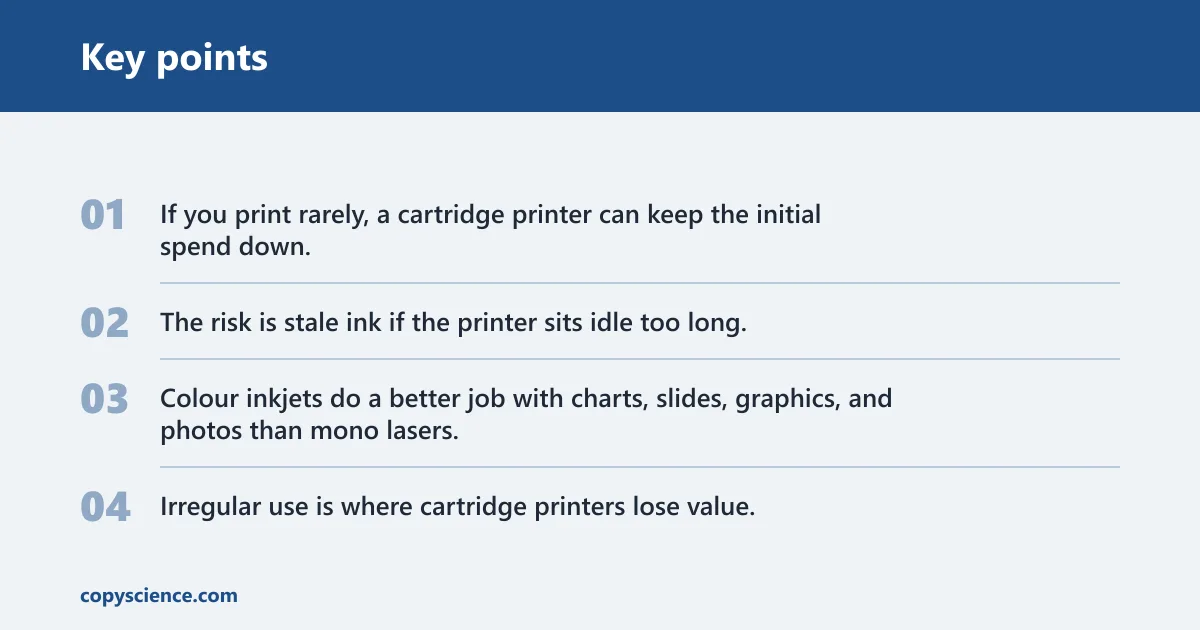
If you print rarely, a cartridge printer can keep the initial spend down. That is useful for dorm rooms, shared flats, or students who rely on digital submission and only print a few pages for a seminar. The risk is stale ink if the printer sits idle too long.
A common first-timer mistake is choosing a bargain printer with expensive cartridges for a dorm room and then printing lecture notes every day. Ink can dry in the heads, starter cartridges can run out quickly, and the real cost of a few emergency reprints can erase the savings from the low purchase price.
Mixed text and colour coursework
Colour inkjets do a better job with charts, slides, graphics, and photos than mono lasers. The Canon PIXMA TS3750i supports print, scan, and copy functions, and the Canon PIXMA TS5350i includes AirPrint and Mopria mobile printing. That gives them more flexibility for mixed student work than a black-only printer.
Standard cartridges versus XL cartridges
XL cartridges usually cut the cost per page compared with standard cartridges, but they still tend to cost more per page than a tank printer. If you are buying a cartridge inkjet, XL cartridges are the better choice for students who print often enough to use them up before they dry out.
The risk of dried ink and wasted starter cartridges
Irregular use is where cartridge printers lose value. Starter cartridges can be small, and if you print only once every few weeks, you may pay for replacement ink before you have seen the lower-cost side of the printer at all. That is one reason low-use students should not assume an ink tank is always the right answer.
How to choose the cheapest printer to run
Start with your monthly page count, then check page cost, duplex support, and wireless features. If you print mostly black text and enough pages to matter, a mono laser or ink tank will usually beat a cartridge inkjet. If you print little, or need colour more than volume, the cheapest running choice may still be a cartridge model or an ink subscription.
-
Estimate your page volume.
Count the pages you expect to print in a normal month, then multiply by 12 for a yearly figure. Light use is often under 200 pages a year, medium use sits around a few hundred pages, and heavy student use can climb much higher during exam and project periods. -
Compare cost per page.
Look at the black-page cost first, because it is the easiest running-cost figure to compare across printer types. -
Check duplex as standard.
Automatic two-sided printing can save a meaningful amount of paper over a semester. Some printers include it as standard, while others leave it out. The Brother DCP-L2620DW supports duplex printing, which makes it more economical for essays and notes. -
Confirm wireless support.
For student use, Wi-Fi matters almost as much as page cost. Look for Wi-Fi, AirPrint, Mopria, or smartphone printing so you can send files from a laptop or phone without a cable. The HP LaserJet M110w has Wi-Fi and USB connectivity, and the Canon PIXMA TS5350i includes AirPrint and Mopria. -
Match the feature set to coursework.
Print-only models are fine for essays, but an all-in-one is better if you need scanning and copying for handouts, receipts, or admin forms. The HP LaserJet M110w is print-only and has no scanner, while the Canon PIXMA TS3750i includes print, scan, and copy functions. -
Check subscription math last.
HP Instant Ink can be useful if your printing stays within the monthly allowance. The free tier covers 15 pages per month, and the 50-page plan is £2.49 per month. It makes the most sense when your page count is steady and your printer is used often enough to avoid waste.
Picture a student printing 20 pages a month for one seminar class and a few forms. A cartridge inkjet may be cheaper to buy, and a subscription plan could fit if the page count stays under the allowance. The same student printing 200 pages a month of essays and readings would usually save more with a tank.
Suppose you print a 12-page essay every week and a few colour slides near deadlines. A mono laser can be the cheapest run for the essay pages, but it will not suit the colour slides. In that case, a colour inkjet or ink tank is the more practical single-printer choice.
Frequently asked questions
Is an ink tank printer better than a cartridge printer for students?
Usually yes, if you print enough to use the pages. Ink tanks have refillable reservoirs and much lower running costs than standard cartridges. They are less attractive for students who print rarely, because the higher purchase price may never be recovered before the printer is replaced.
How much does a student printer cost per page?
It depends on the printer type. A mono laser sits somewhere in between in purchase-plus-running-cost terms, especially for text-only work.
Should I buy a mono laser printer for essays only?
Yes, if your printing is mostly black text and you want fast output with duplex support. A mono laser is a strong essays-only choice. Skip it if you need colour charts, photos, or mixed coursework, because it will not handle those jobs well.
What is the cheapest printer ink for students?
Subscription ink can be cheapest for very light users if the free tier matches their monthly pages. HP Instant Ink offers a free tier of 15 pages per month and a 50-page plan for £2.49 per month. For higher volumes, an ink tank usually gives the lowest cost per page.
Do low running cost printers need regular use?
Yes, especially cartridge inkjets. Irregular use can lead to dried ink, clogged nozzles, and wasted starter cartridges. Ink tanks and lasers are generally better than standard inkjets for students who print more often, but even they make more sense when used regularly.