Is a Monochrome Laser Cheaper Than a Color Inkjet?

Yes. If you print mostly black text and only a few color pages a month, a monochrome laser is often cheaper; a color inkjet tends to make sense only when color use is frequent enough to offset higher ink costs and slower text printing. Ignore that split and you can pay more per page than you expect. This guide compares purchase price, toner or ink costs, maintenance, and a simple break-even rule for rare-color buyers.
What changes the total cost
The first price gap is the sticker price. The second is what you spend to keep printing over two years. A monochrome laser prints only black and white, usually with one black cartridge or toner system, while a color inkjet typically uses CMYK ink cartridges and can handle color pages and photos. That means the best choice depends less on the logo on the box and more on how many pages you print, and how often any of them need color.

TechRadar says monochrome printers can be cheaper to buy and run, and that black-and-white output can require less refilling and maintenance. TechRadar also says black-and-white printing is often faster. Those advantages matter most when your pages are mostly text.
Two years is the right lens
A two-year window is often a useful way to compare total printer cost for rare-color users because it captures both the upfront price and the consumables that add up over time. A low-cost inkjet can look cheaper on day one, then lose that advantage if black pages are frequent or if the printer needs regular cleaning cycles to stay ready for the occasional color job.
Pages per month matter here. Low-volume users can get trapped by a cheap purchase price and a high cost per page. Heavy text users can get the opposite result.
Rare color changes the math
Color pages change the total in two ways. They usually cost more to print on an inkjet, and they add hidden upkeep if the printer sits unused between jobs. If you only print a chart every few weeks, the machine may spend more time protecting its nozzles than printing your pages.
Say your home office prints 150 black pages a month and one color chart every other month. The cheap inkjet sticker price still looks attractive, but the upkeep penalty starts to matter once black-page volume and cleaning cycles are both in play.
Laser inkjet cost table
| Two-year scenario | Monochrome laser example | Color inkjet example | Cheaper choice |
|---|---|---|---|
| 0% color | $180 upfront + lower black-page cost + low maintenance risk | $75 upfront + higher black-page cost + cleaning waste risk | Monochrome laser |
| 5% color | $180 upfront + lower black-page cost + no color support | $75 upfront + color-page ink cost + refill and cleaning cost | Monochrome laser if color is optional; inkjet only if you need color on demand |
| 20% color | $180 upfront + black-only printing + external color needed | $75 upfront + more color ink use + more frequent refill risk | Color inkjet if those color pages are truly required |
This table uses example ownership costs to show the direction of the break-even point. The exact dollar value changes by model and cartridge yield, but the pattern is stable: black-heavy printing favors the laser, while frequent color pushes the inkjet closer to the lead.
How much money do you save with a black-and-white laser printer vs a color inkjet?
You save the most when your pages are mostly text and your color use stays rare. The savings come from two places: lower black-page cost on many laser models and lower refill frequency because a monochrome printer uses one black cartridge instead of a CMYK set. If your pages are nearly all black text, that gap can outweigh a higher upfront price within two years.
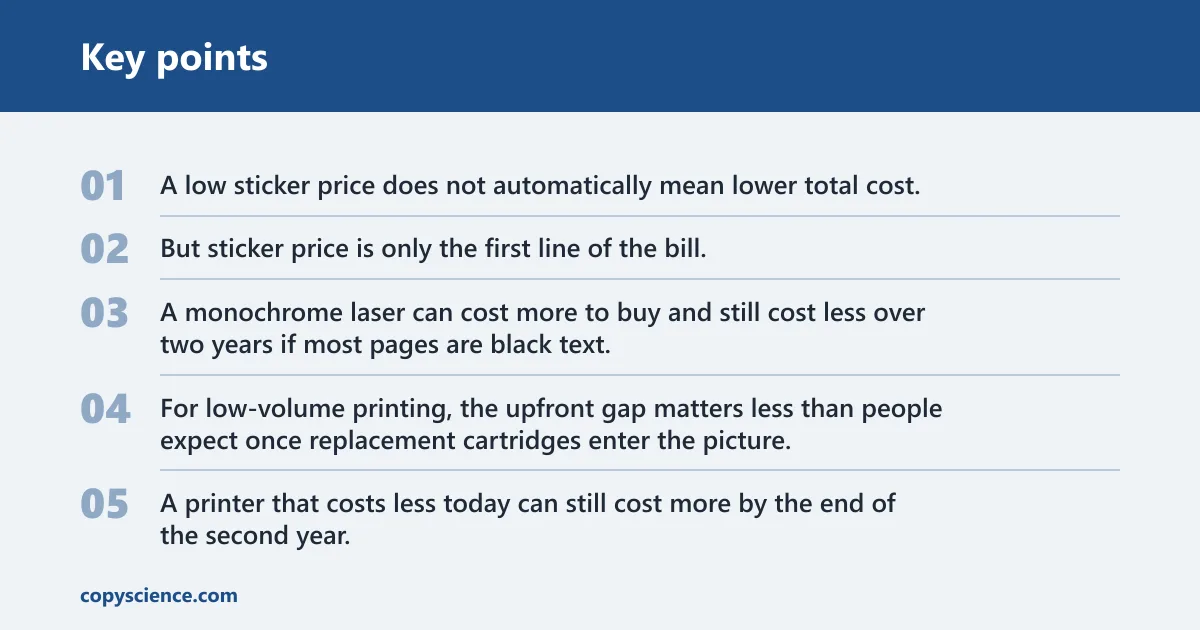
Walmart lists several color inkjet prices that show how low the entry cost can be: the HP DeskJet 2952 at $44.00, the Canon PIXMA TR4722 at $75.00, the Brother MFC-J1260W at $139.00, the HP Smart Tank 5102 at $169.00, and the Canon MegaTank PIXMA G4280 at $239.00. A low sticker price does not automatically mean lower total cost.
Upfront price versus running cost
Color inkjets can win on sticker price. That is why they often look like the easy home choice. But sticker price is only the first line of the bill. A monochrome laser can cost more to buy and still cost less over two years if most pages are black text.
For low-volume printing, the upfront gap matters less than people expect once replacement cartridges enter the picture. A printer that costs less today can still cost more by the end of the second year.
Black-page cost and color-page cost
Black-page cost is the core number for text-heavy users. Color-page cost matters only if you actually print color often enough to use it. A monochrome laser handles black pages with toner, while a color inkjet spreads the cost across cyan, magenta, yellow, and black ink cartridges. That CMYK setup gives you color, and it also makes each color page more expensive than a black text page.
A common first-timer mistake is judging a printer by the cheapest cartridge you can buy once. Page yield matters more. A cartridge that seems cheap can still cost more per page if the yield is low or if the printer runs frequent cleaning cycles.
How toner and ink cartridges affect page cost
Toner cartridges and ink cartridges behave differently. Toner is a dry powder used by laser printers, and monochrome models usually keep the system to one black cartridge. Ink cartridges are liquid-based, and color inkjets use a C/M/Y/K setup in standard or high-yield forms. That difference drives page yield, refill frequency, and the long-term cost per page.
Toner cartridge yield and black-page cost
Monochrome laser printers often run longer between refills because one black toner cartridge covers every page. That lowers interruption and helps if you print long text jobs. It also keeps the black-page cost steadier, which matters when pages per month are predictable.
Fewer refills also mean fewer supply decisions. You are not managing three color tanks that may age differently.
CMYK ink cartridge sets and color-page cost
Color inkjets need more parts to stay ready. Even when you only print black text most of the time, the printer still has to keep the color side usable. That can mean more frequent refills, more waste during maintenance cycles, and a higher chance that one cartridge runs dry before the others.
If you print an occasional chart, that extra color capability is valuable. If you rarely need color, you may be paying to keep a feature ready for a few pages a year.
What maintenance changes for rare color use
Maintenance is where rare-color inkjets can become expensive in a way the sticker price hides. Inkjet printers can waste ink during cleaning cycles, and cartridges may clog if the printer sits too long between color jobs. Monochrome lasers usually avoid that specific problem because toner does not dry out the same way liquid ink does.
Black-and-white output can require less refilling and maintenance, which is one reason monochrome models are often smaller devices and simpler to keep ready. That does not make them perfect for every home, but it does make them easier to live with if you print mostly text.
Cleaning cycles and ink waste
Rare use can still drain an inkjet. Many color printers run cleaning routines to prevent blocked nozzles, and that process uses ink even when you are not printing a page. If the machine spends weeks idle between color jobs, that maintenance cost becomes part of ownership.
That hidden cost matters most for low-volume homes and students. A printer that only wakes up for a few charts may still need routine cleaning to stay usable.
Clogging risk when color sits unused
If you leave color ink sitting for too long, clogging risk rises. The result is not only wasted ink, but also failed prints, extra cleaning attempts, and the chance that a needed color page comes out streaky. For rare-color users, that risk can erase part of the low upfront savings.
Suppose you print black invoices every week but only one colored photo sheet every month. The black pages may run fine, yet the next color job can still trigger a cleaning cycle before the page comes out clean.
Which printer is faster for your pages?
Monochrome printers are often faster for black text jobs, and that speed matters if you print long documents, invoices, or school packets. Color inkjets are slower on text-heavy work when they have to manage multiple inks and color processing. If your main job is black pages, speed can be part of the savings.
Black text speed on monochrome laser printers
For plain text, a monochrome laser is the better fit more often than not. The same source says black-and-white printing is often faster, and that advantage shows up in batch jobs. If you print a 30-page report or several multipage forms, the black-only engine is built for that kind of work.
Speed is not only about waiting less. It also reduces interruptions when you need a stack of pages done quickly.
Color job speed on inkjets
Color inkjets are built for color pages and photos, not for fast black-only output. If you need a chart, a flyer, or a photo page now and then, that flexibility matters. If those pages are rare, though, the slower black-text performance and maintenance cost can make the inkjet the wrong bargain.
Choose monochrome laser if… / Choose color inkjet if…
Choose a monochrome laser if your printing is mostly black text, your color pages are rare, and you want lower running cost over two years. Choose a color inkjet if you need color often enough that the extra cartridge cost and maintenance are worth paying for. The right pick depends on use, not on the cheapest shelf tag.
Choose monochrome laser if…
-
You print mostly text.
Black pages are the bulk of your monthly volume, and you want lower cost per page over time. A mono printer’s single black cartridge setup keeps the system simpler. -
You only need rare color.
If the occasional chart can be printed elsewhere, or you can live without home color, the laser usually wins on total cost. -
You want less upkeep.
Toner does not bring the same clogging and cleaning issues that liquid ink does, so the machine is easier to keep ready. -
You care about text speed.
Faster black-and-white output helps when you print batches of documents and do not want delays between jobs.
Choose color inkjet if…
-
You need color every week.
If color pages are part of normal use, the ability to print them at home can outweigh the higher maintenance burden. -
You print photos or charts often.
An inkjet fits better when color output is a regular job, not a rare exception. -
You want the lowest sticker price.
A low-cost model can be attractive upfront, especially at the prices listed for budget color inkjets. -
You can manage upkeep.
If you are willing to accept cleaning cycles, refill checks, and occasional ink waste, the color model is a workable choice.
Frequently asked questions
Is a monochrome laser printer cheaper than a color inkjet if I only print color sometimes?
Usually yes. If black text is most of your volume and color is only occasional, a monochrome laser often costs less over two years because it has lower black-page cost, fewer maintenance problems, and faster text output. A color inkjet only catches up when color printing is frequent enough to justify the extra ink cost.
Do color inkjet printers waste ink if I rarely print in color?
Yes, they can. Many inkjets run cleaning cycles to keep nozzles clear, and those cycles use ink even when you are not printing color pages. If the printer sits idle for long stretches, clogged nozzles and extra cleaning can become a real hidden cost.
Is it worth buying a monochrome laser printer for home use?
It is worth it if your home printing is mostly black text, forms, and homework pages. A monochrome laser is often smaller, faster for text, and simpler to maintain than a color printer. If you rarely need color, the lower running cost usually matters more than color support.
How often do laser printers need toner compared with inkjet cartridges?
Laser printers usually go longer between replacements because toner cartridges often have higher page yield than standard ink cartridges. That does not mean every laser lasts forever, but it does mean fewer refill checks and less interruption for frequent text printing. Inkjets, especially color models, tend to need attention more often.
What should I buy if I only need color for the occasional chart or photo?
If the chart or photo is truly occasional, start with a monochrome laser unless you need to print that color page at home. If you do need home color, a budget color inkjet may be cheaper up front, but you should expect more maintenance and a higher cost per color page.