How to Tell If Your Printer Is Inkjet or Laser

Check the printer’s model label first: if it uses toner and a drum, it’s a laser printer; if it uses liquid ink cartridges or tanks, it’s an inkjet. Choosing the wrong type leads to the wrong supplies, the wrong driver, and the wrong troubleshooting path. This guide shows the quickest way to confirm the type by model label, cartridge inspection, and print clues, with a fallback for tank and all-in-one printers.
Printer type decision table
| What you see | What it usually means | What to check next |
|---|---|---|
| Unknown model label | The exact model is the best starting point, because HP, Canon, and Brother naming can be confusing. | Read the full model number on the printer body and search the exact model on the brand support page. |
| Small rectangular cartridge | Usually an inkjet cartridge with liquid ink, often with a nozzle strip on the bottom. | Look for 2-8 cartridges and a moving carriage inside the printer. |
| Boxy cartridge | Usually a laser toner cartridge with dry toner powder. | Check whether the printer also has a drum unit or fuser near the paper exit. |
| Toner powder | Dry toner points to a laser printer. | Confirm whether the output is fused by heat and whether the printer has a drum or fuser assembly. |
| Moving carriage | A carriage that slides back and forth is a strong inkjet clue. | Look for a print head mounted in the carriage. |
| Drum or fuser | Rotating drum parts or two hot rollers near the exit usually mean laser. | Check the toner cartridge and the printer’s exact model on the support page. |
| Fresh smudge | Fresh liquid ink can smear more easily than toner. | Print a page on plain paper and rub a small corner after it exits. |
| Flat output | Laser pages often feel flat; inkjet pages may feel slightly raised. | Check the cartridge type and the inside mechanism before deciding. |
| Refillable tanks | Tank printers are usually inkjets, but the outside can hide the usual cartridge clues. | Look for the brand’s ink system name and the print mechanism inside the lid. |
Check the model number first
The fastest answer is usually on the label. Find the exact model number on the printer body, then search that model on the brand support page. That single step often tells you whether the device uses liquid ink or dry toner, and it avoids guessing from the front panel or the color of the case.
Find the label on the printer body
-
Look on the back and underside.
Read the full model number printed on a sticker or plate. Many printers place it on the rear panel, near the power inlet, or under the scanner lid on all-in-one devices. -
Use the full model string.
Copy every letter and number, including suffixes such as wireless or duplex variants. Those extra characters matter because two similar models can use different consumables. -
Search the exact model online.
Open the brand support page and read the supply section. If the page lists toner cartridges or a drum unit, that points to laser. If it lists ink cartridges or ink tanks, that points to inkjet.
Handle HP, Canon, and Brother naming confusion
Do not rely on the brand name alone. HP, Canon, and Brother each sell both inkjet and laser models, and the same family name can include more than one technology. The exact model number matters more than the logo on the front.
For example, a Canon PIXMA model is typically an inkjet family, while Canon i-SENSYS models are typically laser. HP DeskJet and ENVY models are commonly inkjet families, while HP LaserJet models are laser. Brother has both ink tank and laser lines, so the support page is the safest check.
Do you see cartridges or toner?
If you can open the access door, the consumables usually tell the story quickly. Inkjet printers use liquid ink. Laser printers use dry toner fused by heat. That split shows up in the cartridge shape, the number of supplies, and sometimes the parts mounted with the cartridge.
What inkjet cartridges usually look like
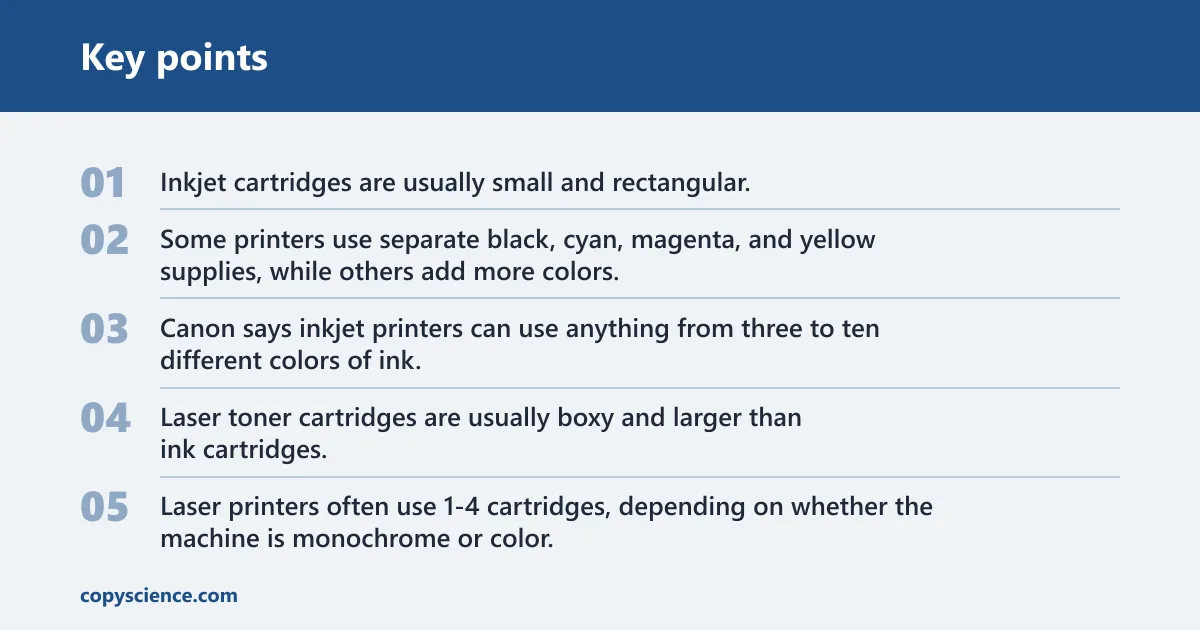
Inkjet cartridges are usually small and rectangular. They contain liquid ink, often have a nozzle strip on the bottom, and may sit in a carriage that holds 2-8 cartridges. Some printers use separate black, cyan, magenta, and yellow supplies, while others add more colors.
Canon says inkjet printers can use anything from three to ten different colors of ink. That wider color range is one reason many inkjets are better suited to photos and color-heavy pages.
What laser toner cartridges usually look like
Laser toner cartridges are usually boxy and larger than ink cartridges. They contain dry toner powder, and some include a drum cylinder as part of the assembly. Laser printers often use 1-4 cartridges, depending on whether the machine is monochrome or color.
PrinterTools notes that laser printer toner cartridges tend to have a much higher page yield than ink cartridges. That is useful when a label or support page already suggests a laser device, because the supply size and page count often fit that pattern.
When a drum is part of the cartridge
Some laser printers combine the drum with the cartridge, while others keep the drum separate. A visible drum cylinder is still a laser clue, even if the toner cartridge is removable as one piece. If the printer has a separate imaging unit, check the model page rather than assuming the cartridge alone tells the whole story.
The same source says laser printers have a rotating drum or belt system and a fuser unit near the paper exit. That hardware does not appear in typical inkjet designs.
What does the inside of the printer show?
Inside the machine, the moving parts can separate the two types fast. Inkjets have a print head in a carriage that slides back and forth. Lasers rely on toner transfer parts, a drum or belt system, and a fuser near the exit. Look for motion and placement, not just the color of the cartridge.
Moving carriage and print head clues in inkjets
An inkjet usually has a carriage that moves across the page path. The print head sits in that carriage and deposits liquid ink onto paper. If you open the cover and see a shuttle-like part parked in the middle or moving side to side during startup, that is a strong inkjet sign.
Some all-in-one printers hide the carriage behind a scanner bed, so you may need to lift the scanner top fully. If the printer is off and the carriage is locked in place, the cartridge shape and model lookup become more important.
Drum and fuser parts in laser printers
Laser printers usually show a different set of parts. You may see a drum unit or a belt assembly, plus a fuser near the paper exit with two hot rollers. The fuser uses heat to fuse toner to the page, which is why the output behaves differently from fresh ink.
The same source says the key difference is liquid ink versus dry toner and a high-temperature roller. That high-temperature step is one of the clearest signs you are dealing with a laser printer.
What all-in-one and tank printers can hide
All-in-one printers can make this harder because the scanner lid and internal covers block your view. Tank printers can also blur the usual cartridge clue, because the ink supply may sit in refillable reservoirs instead of small snap-in cartridges. In those cases, the model number and the print mechanism matter more than the visible supply shape.
Say your printer has refillable side tanks and a moving carriage under the scanner lid. That is still an inkjet, even though it does not use the small cartridge shapes people expect. The tank system changes the supply method, not the printing technology.
What do the pages tell you?
Output clues help, but they should confirm the model and hardware, not replace them. Laser pages often feel flat and dry quickly. Inkjet pages may feel slightly raised in some areas, and fresh liquid ink can smear if rubbed too soon after printing.
Flat paper feel versus slightly raised output
The same source says laser pages feel completely flat, while inkjet pages can feel slightly raised. That difference is subtle, so use it as a supporting clue. Paper type matters too: plain paper makes the texture easier to compare, while glossy photo paper can change the look and feel of the print.
Fresh toner usually sits on the page with a fused surface. Liquid ink can soak into the paper more, especially on plain stock. On glossy paper, inkjet output may sit differently and can dry more slowly than on ordinary copy paper.
Fresh ink smudge versus fused toner
The same source says fresh ink may smudge when rubbed, but toner will not smudge immediately after printing. That is one of the most practical ways to separate the two. Use a small corner of a recent page, and compare a fresh print with one that has had a little time to cool or dry.
Suppose a page printed on plain 20 lb paper leaves a faint mark when you rub a finger across a dark block after 10 seconds. That leans toward inkjet. If the same test leaves the surface clean and dry, toner is more likely.
How plain paper and glossy photo paper change the clue
Plain paper is better for a quick identification check because the surface differences are easier to feel. Glossy photo paper can make inkjet output look sharper or more saturated, but it can also slow drying. Use plain paper for the first pass, then compare glossy output only if the model is already known to be an inkjet.
Can you identify it without opening the printer?
Yes, often you can. Start with the model label and the brand support page. If you cannot open the cover, use the cartridge count, the output feel, and the paper behavior as backup clues. That approach works best when the printer is already installed and ready to print a test page.
-
Read the model label.
Find the exact model number and search it on the brand support page. This is the cleanest way to confirm whether the printer is inkjet or laser, especially with HP, Canon, and Brother models that do not follow one obvious naming pattern. -
Check the supply count.
If the printer uses 2-8 cartridges, that points toward inkjet. If it uses 1-4 cartridges and the supplies are boxy toner units, that points toward laser. -
Print one test page.
Use plain paper, then look at the surface and rub a small corner after it exits. Flat, dry output with no immediate smudge points toward laser; slightly raised output with possible fresh smudge points toward inkjet.
A common first-timer mistake is assuming a compact all-in-one must be a laser because it prints documents well. Many compact models are inkjets, including tank units designed for high page counts. The label and supply system are still the deciding factors.
When the usual clues do not fit
Some printers blur the line between inkjet and laser clues. Refillable tank printers, monochrome multifunction devices, and special business models can hide the obvious signs. In those cases, the safest path is to combine the model lookup with the supply type and the inside hardware.
Refillable tank printers
Tank printers usually belong to the inkjet family, even if they do not use small cartridges. The ink may sit in visible reservoirs that you fill from bottles. Those printers can look unfamiliar because the supply system changes, but they still use liquid ink, not toner.
The same source says MAXIFY GX series inkjets can print up to 21,000 colour documents in economy mode, and up to 9,000 mono pages in economy mode. Those numbers help explain why tank printers can behave more like document machines than photo-first inkjets.
Monochrome devices and multifunction printers
Monochrome printers can be either inkjet or laser. A black-only output does not settle the question by itself. Multifunction printers can also hide the mechanism behind the scanner bed, so do not treat the front panel as proof of the print technology.
The same source states its i-SENSYS MF750 laser series can handle 7,600 mono pages with high-yield cartridges and 5,500 colour documents with high-yield cartridges. Those figures fit the laser pattern of higher-yield consumables and document-focused output.
Hybrid or special printer types
Some specialty printers are built to compete with a different technology class. PCMag describes Epson WorkForce ST-M3000 as an inkjet alternative to monochrome laser AIOs. That kind of model can print like a business device while still using ink, so the support page remains the final check.
Which type is better depends on the job. Inkjet is usually the better fit for photo work and mixed color printing. Laser is usually the better fit for high-volume text jobs, where speed, dry output, and durable text matter more than photo quality.
Frequently asked questions
How to tell if my printer is inkjet or laserjet
Use the model label first, then inspect the consumables. A printer with liquid ink cartridges or refillable tanks is an inkjet; a printer with toner, a drum, and a fuser is a laser. If you still are not sure, print a plain-paper page and check for fresh smudge or a flat surface.
How to tell if a printer is ink or laser
Look at the supply system and the output behavior. Ink printers use liquid ink and may show a moving carriage, while laser printers use dry toner fused by heat and usually have a drum or fuser near the exit. The exact model on the support page settles it fastest.
How do you know if your printer is inkjet or laser?
Read the exact model number, search the brand support page, and compare the cartridge type. Small rectangular cartridges with liquid ink point to inkjet. Boxy toner cartridges, a drum unit, and a fuser near the paper exit point to laser. That order is the quickest and most reliable path.
How do I know if my Canon printer is inkjet or laser?
Check the full Canon model name, not just the brand. PIXMA and MAXIFY models are commonly inkjet families, while i-SENSYS models are laser. Canon’s support page will list either ink tanks or cartridges for inkjet models, or toner and related parts for laser models.
How do I know if my HP printer is inkjet or laser?
Use the exact HP model number and the support page. DeskJet, ENVY, and most Smart Tank models are inkjet lines, while LaserJet models are laser. Do not guess from the size of the machine, because HP sells compact printers in both categories.
Which type of printer is best inkjet or laser?
Neither type is best for everything. Inkjet is usually better for photos and color-rich pages, especially if you want flexible media handling. Laser is usually better for text-heavy documents and higher-volume printing, because toner tends to be more durable on the page and cartridges often yield more pages.