Best Printer for Home Use for Students: What Matters Most

For most students, a monochrome laser printer is the best home printer: choose inkjet only if color projects are frequent, and buy tank ink only if you print enough to justify the larger upfront cost. Pick the wrong type, and you pay more per page, deal with dried-out cartridges, or get poor text quality. This guide shows what matters most for text homework, occasional color work, and low-maintenance reliability.
This guide is part of our Best printer for home use: how to choose the right model series.
Choose by what you print most
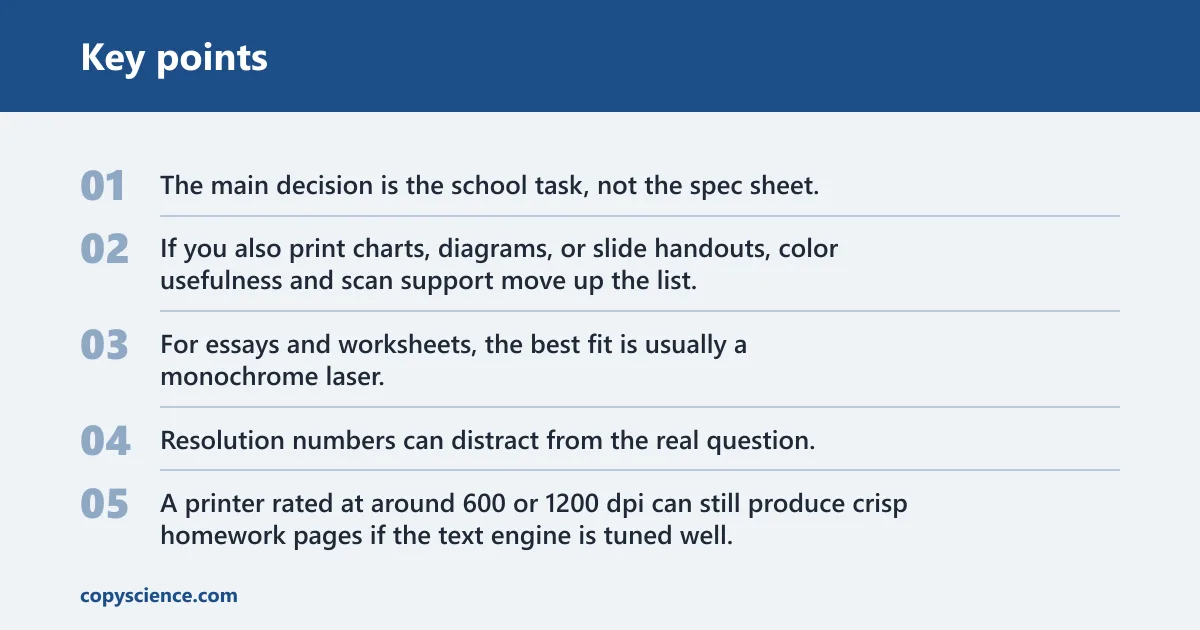
The main decision is the school task, not the spec sheet. If you mostly print essays, problem sets, and reading notes, black text quality and low upkeep matter more than photo quality. If you also print charts, diagrams, or slide handouts, color usefulness and scan support move up the list.
Text-first schoolwork
For essays and worksheets, the best fit is usually a monochrome laser. It prints sharp text, starts fast, and does not suffer from dried nozzles after a long break. That matters for students who print in bursts before a deadline, then leave the printer idle for weeks.
Resolution numbers can distract from the real question. A printer rated at around 600 or 1200 dpi can still produce crisp homework pages if the text engine is tuned well. For schoolwork, the useful measure is whether letters stay dark, clean, and easy to scan back later.
Mixed assignments with color
If the assignment mix includes graphs, maps, science diagrams, or color-coded study sheets, an inkjet often makes more sense. Color laser is another option, but it costs more up front and usually takes more space. For occasional color pages, a basic color inkjet is often enough.
Color should be treated as a purpose, not a default. Many students need black text most of the time and color only for a few pages each month. In that case, a printer with good black text and acceptable color output is a better fit than a photo-focused model.
Low-maintenance use over long breaks
Low maintenance matters as much as print quality for student homes. Laser printers sit unused better than cartridge inkjets because toner does not dry out. If the printer may sit for about two or three weeks between assignments, that difference can save time and wasted supplies.
Tank ink systems change the tradeoff. They lower running cost, but they still use liquid ink and can need cleaning if left idle. They make sense only when the student prints often enough that the lower per-page cost matters.
Is inkjet or laser better for student use?
For most student homes, laser is better for text-heavy schoolwork, while inkjet is better for mixed schoolwork with useful color. Inkjet only becomes the smarter choice when color pages are frequent enough to matter, or when the printer also needs to handle photos and special paper more often.
Inkjet for mixed schoolwork
Inkjet fits worksheets with charts, class posters, and projects that need color. It also works well when the printer must handle many paper types at home. The downside is upkeep: cartridge nozzles can dry out, and cleaning cycles consume ink even when you are not printing much.
Laser for text-heavy homework
Laser is the safer default for essays, reading responses, and math sheets. It usually prints faster in bursts, keeps text sharp, and handles long idle periods better. Monochrome laser is the simplest version to own because it avoids the extra cost and complexity of color toner.
Color laser and when it makes sense
Color laser makes sense when a student needs frequent color handouts and still wants laser reliability. It is harder to justify for occasional color pages because the printer and toner cost more, and color toner sets can be expensive. For most homes, that is too much printer for too little color.
Student printer decision matrix
Use this matrix as a quick filter, not a final verdict. Scores are on a 1-to-5 scale, where 5 is best for students. A higher score for maintenance risk means lower risk, which is better.
| Factor | Inkjet | Laser | What it means for students |
|---|---|---|---|
| Homework text quality | 4 | 5 | Laser usually wins for crisp essays and worksheets. |
| Color usefulness | 5 | 3 | Inkjet is better for charts, maps, and project pages. |
| Maintenance risk | 2 | 5 | Inkjets can dry out; lasers tolerate idle periods better. |
| Wireless ease | 4 | 4 | Both can be easy if Wi-Fi and mobile printing are stable. |
| Running cost | 3 | 4 | Monochrome laser often has the lower cost per page for text. |
| Dorm or desk fit | 4 | 3 | Compact inkjets are usually smaller; lasers can be bulkier. |
Short recommendation: choose monochrome laser for text-first students, inkjet for mixed color schoolwork, and tank ink only when monthly printing is high enough to offset the larger upfront cost.
Say your student prints two essays and one worksheet packet each month, then leaves the printer alone for three weeks. A monochrome laser will usually be the calmer choice because toner does not dry out, and the first page after idle time is less likely to trigger a cleaning routine.
Suppose a biology class needs a color lab chart every week, plus a few black-and-white assignments. In that case, a color inkjet is easier to justify, especially if the printer also needs to scan handouts at home.
What features help with essays and worksheets?
The most useful student features are print-copy-scan, a scanner that fits worksheets, automatic duplex, and a paper tray that does not need constant refilling. Fax is usually unnecessary at home unless a school or shared family setup still asks for it.
AIO print-copy-scan features
An all-in-one printer can print, copy, and scan in one unit. That matters for homework because students often need to save a teacher handout, copy a signed form, or scan a worksheet back to a portal. A flatbed scanner is enough for single pages and books; an ADF helps when scanning a stack of pages.
Flatbed scanner versus ADF
A flatbed scanner is better for a textbook page, a sketch, or anything fragile. An automatic document feeder, or ADF, is better for a packet of loose pages. If the student only scans one or two sheets at a time, flatbed is fine. If they scan multi-page homework often, ADF saves time.
Duplex printing and tray capacity
Automatic duplex printing helps with long essays, handouts, and packets because it prints on both sides without manual flipping. Tray capacity matters when an assignment runs long or the printer is shared by a family. A larger tray reduces refills during a busy week.
-
Match the scanner to the job. Pick flatbed only if scanning is occasional and simple. Choose an ADF if you routinely scan multi-page homework, because feeding pages by hand slows down every packet.
-
Check duplex support. Automatic duplex is worth paying for if essays or reading packets are common. Manual duplex works, but it adds handling and makes double-sided printing more annoying when deadlines are tight.
-
Size the paper tray. For a student who prints several assignments at once, a tray that holds roughly 100 to 250 sheets is often more convenient than a small rear feed. More capacity means fewer pauses during homework crunch time.
How much should a student printer cost to run?
Running cost matters more than sticker price over time. Look at cost per page, not just cartridge price. Monochrome laser usually has the lowest cost for text-heavy work, while inkjet can become expensive if cartridges are small or if cleaning cycles waste ink after long gaps.
Cost per page
Cost per page is the cleanest way to compare printers. Divide the cartridge or toner price by the rated yield to estimate an approximate per-page cost. For students, the useful question is whether the printer stays affordable through a semester, not whether the box was cheap on day one.
Starter cartridges and refill limits
Starter cartridges often ship with less ink or toner than the replacement set. That means the first set can make the printer look cheaper to run than it really is. Check the yield of replacement cartridges before buying, because starter supplies are often not a fair comparison.
High-yield ink and toner options
High-yield cartridges usually lower the cost per page. They are most useful if the printer is shared or if the student prints every week. Tank ink systems can lower cost further, but they only make sense when monthly use is high enough to absorb the higher purchase price.
A common first-timer mistake is buying a low-priced inkjet because the box looks cheap, then finding the replacement cartridges cost almost as much as a laser toner set. The printer was affordable on the shelf, but not after a few months of schoolwork.
What connectivity matters most?
Wi-Fi is the main feature to prioritize, with USB as a helpful backup. Check wireless connectivity first, then look for Wi-Fi Direct, AirPrint, or Mopria support if you want easier phone and laptop printing. Mobile apps are useful only if they are stable and simple.
Wi-Fi and wi-Fi direct
Wi-Fi lets a printer sit anywhere in the room, which helps in small dorms or shared rooms. Wi-Fi Direct creates a direct connection between device and printer without a router in the middle. That can help when network setup is awkward or guest access is limited.
USB as a backup
USB is worth having, even if the printer is mainly wireless. It gives you a fallback when Wi-Fi setup fails or when a laptop needs a fast direct connection. That backup matters in student homes where router settings may be controlled by someone else.
AirPrint and Mopria support
AirPrint helps Apple devices print without extra drivers. Mopria does the same for many Android and Windows devices. If a student switches between a phone, a school laptop, and a family computer, native support cuts down on setup problems.
How do you avoid buying a printer that dries out too fast?
To avoid dry-out problems, favor laser for low-frequency printing, or choose inkjet only if you will print often enough to keep the nozzles active. Cartridge inkjets are most exposed to this issue. Tank ink can help with cost, but it still needs regular use and occasional cleaning.
Long idle periods
If a printer may sit for weeks at a time, laser is the safer choice. Inkjet nozzles can clog, and recovery cycles waste ink. The risk is highest when the printer is cheap, rarely used, and stored in a dry room.
Nozzle cleaning and ink waste
Cleaning cycles can fix blocked nozzles, but they also use ink. That is a hidden cost for infrequent users. If the printer needs cleaning before nearly every assignment, the lower upfront cost of inkjet stops looking like a bargain.
Cartridge systems versus tanks
Cartridge systems are simpler to replace but can be expensive per page. Tank systems lower the per-page cost and make sense for heavy use, yet they still require attention and can be messy if the printer is moved often. For light student printing, neither system beats laser on idle-time reliability.
What printer specs matter most for occasional school printing?
For occasional school printing, the best specs are the ones that reduce friction: sharp text, stable wireless setup, automatic duplex, a sensible paper tray, and low upkeep after idle time. Speed matters, but only after those basics are covered.
Look for pages per minute, but also check first-page-out time. A printer that hits 20 ppm on paper still feels slow if the first sheet takes a long time to appear. For homework bursts, first-page speed and wake-up time matter more than peak speed.
If the student prints mainly essays and worksheets, monochrome laser with duplex and Wi-Fi is usually the most practical choice. If the workload includes regular color charts or project handouts, a color inkjet can fit better, as long as the family accepts the upkeep tradeoff.
Frequently asked questions
What matters most when choosing a printer for students at home?
Start with the main school task. Essays and worksheets favor monochrome laser. Mixed text and color projects favor inkjet. After that, check scanning, duplex printing, wireless support, and idle-time reliability. Those factors affect student use more than headline speed or the largest resolution number.
How important is print speed for homework printing?
Speed matters less than many buyers think. For homework, first-page-out time and reliability matter more than a high ppm rating. A fast printer that wakes slowly or needs cleaning before every assignment will feel slower than a modest printer that prints on demand without fuss.
What printer features help with essays, worksheets, and scanning?
Look for print-copy-scan, automatic duplex, stable Wi-Fi, and either a flatbed scanner or ADF depending on how often you scan multi-page packets. These features directly support homework workflows. Fax is usually unnecessary unless a school or household still requires it for a form.
How much should a student home printer cost to run?
Cost per page is the number to compare. Monochrome laser usually wins for low-cost text pages, while inkjet can be reasonable only if replacement cartridges are high-yield or the printer is used often enough to avoid drying and cleaning waste. Starter cartridges are not enough to judge long-term cost.