Best Printer Paper for Home Use: What to Look for

Choose 20–24 lb, 92–100 brightness, acid-free paper with 97–99% opacity if you print duplex often. Use 24–28 lb for resumes and 28–32 lb coated inkjet paper for photos. Thin or low-opacity sheets show through, curl in duplex runs, and can make text look gray or photos muddy. This guide maps paper weight, brightness, finish, and acid-free ratings to everyday printing, schoolwork, archived documents, and occasional photo jobs.
Choosing the right paper weight and finish
A commonly recommended all-around home paper is a 24 lb, smooth, acid-free sheet with brightness in the low-to-mid 90s. That mix gives you better opacity than standard 20 lb paper, cleaner text contrast, and fewer problems when you print on both sides.
Standard 20 lb paper still works for everyday drafts, school handouts, and high-volume printing where cost matters most. Move up when you want a sturdier page, when duplex printing matters, or when you want a more professional look for resumes and records.
Quick picks by printing need
- Everyday documents: 20 lb, 92 brightness, smooth finish, acid-free if the pages need to last.
- Double-sided printing: 24 lb or higher, with better opacity and a smooth finish.
- Resumes and important papers: 24 lb, 97 brightness, acid-free, clean white sheet.
- Occasional photos and graphics: coated inkjet paper made for color output, not plain copy paper.
How the main specs change the result
Weight affects thickness, feel, and show-through. Brightness changes how white the page background looks and how much contrast black text gets. Finish affects whether toner or ink sits crisply on the surface. Acid-free paper matters when you want pages to resist yellowing over time.
Printer paper affects print quality and feed reliability too. Cheap paper can jam, smear, or show through on both sides. The goal is the right sheet for the job and the printer, not the priciest pack on the shelf.
Paper selection matrix
This matrix turns paper specs into buying choices for common home tasks. Use it to match the page to the job instead of buying by brand name alone.
| Task | Best weight | Brightness range | Finish | Acid-free | Duplex suitability | Inkjet / laser fit | When to upgrade from standard 20 lb |
|---|---|---|---|---|---|---|---|
| School worksheets | 20 lb | 92–97 | Smooth | No or yes | Fair | Either, if the printer accepts it | When worksheets print on both sides or need a cleaner look |
| Everyday bills and forms | 20 lb | 92–97 | Smooth | Yes if keeping records | Fair | Either | When text starts to show through or pages feel flimsy in folders |
| Tax documents and records | 24 lb | 92–97 | Smooth | Yes | Good | Either | When you want lower ghosting and a more durable file copy |
| Resumes and cover letters | 24 lb | 97 | Smooth | Yes | Good | Either, with clean feed behavior | When you want a heavier feel and a whiter page background |
| Two-sided handouts | 24 lb | 92–97 | Smooth | Yes if stored | Very good | Either, but check printer settings | When show-through or ghosting appears on the reverse side |
| Occasional photos | 28–32 lb coated inkjet paper | High, but paper type matters more than a number alone | Coated | Usually no | Poor for duplex text | Inkjet preferred | When plain paper leaves colors dull or edges soft |
How to read the table
The matrix separates three common mistakes. First, using thin paper for duplex jobs. Second, choosing photo paper for ordinary text. Third, buying the highest brightness number without checking whether the page will feed cleanly in your printer.
Say your home printer is mostly for school packets and utility bills. A 20 lb smooth sheet is usually enough. Suppose you print a monthly packet with charts on both sides. Moving to 24 lb cuts down on show-through and makes the stack feel less flimsy.
What paper weight should you buy?
For most home users, 20 lb is the baseline, and 24 lb is often the worthwhile step up when opacity, feel, or duplex printing matter. Heavier paper feels more solid and usually hides back-side printing better.
20 lb vs 24 lb
Standard 20 lb paper is common for everyday use. It is lighter, cheaper, and fine for one-sided drafts, forms, and school pages. Twenty-four-pound paper is thicker and usually gives you a better feel in the hand, less show-through, and more stable two-sided printing.
The difference matters most when text covers a lot of the page or when your printer lays down a dense black block. If the page looks gray from the reverse side, the paper is too thin for the job.
Opacity and show-through
Opacity is the practical reason to move up in weight. Better opacity means the print on one side is less visible from the other side. That matters for duplex jobs, notes with dark charts, and records that need a cleaner appearance.
A common first-timer mistake is printing a two-sided school packet on thin paper and then noticing the back page reads through the front. The problem is not the printer. It is the stock.
Which jobs need heavier stock?
Choose 24 lb for resumes, tax records, brochures, and any handout where the back side will be used or seen. Stay with 20 lb for drafts, routine forms, and high-volume printing where cost and stack size matter more than presentation.
What brightness rating matters most?
Brightness controls the white background behind your text. Around 92 brightness works well for everyday printing. A 97 brightness sheet looks whiter and can make black text stand out more, especially for resumes, letters, and clean handouts.
92 brightness vs 97 brightness
Paper described as 92 brightness is a strong everyday choice. It looks clean without pushing cost too high. Paper at 97 brightness gives a whiter page background, which can make text appear crisper and charts look cleaner on the page.
One sourced example is Hammermill Premium Inkjet & Laser Paper, which is described as having 97 brightness and is listed at 24lb. Another is Amazon Basics Multipurpose Paper, which is described as having 92 brightness and being acid-free.
Text clarity and white background
Brightness does not change the ink or toner itself. It changes how much contrast your eyes get from the paper behind it. Higher brightness can make black text look sharper because the page background is whiter.
That said, brightness is not the only factor. A bright sheet with poor opacity can still show through in duplex printing. A smooth finish with good feed behavior can matter just as much for readable text.
When brightness is worth paying
Pay extra for brightness when the document is meant to be read, handed over, or saved. Resumes, cover letters, proposals, and clean classroom handouts benefit more from a brighter sheet than rough drafts do.
For bulk drafts and internal notes, 92 brightness is often enough. Paying for 97 brightness on pages that will be scribbled on or recycled quickly is usually wasted money.
Does ColorLok make a difference?
Yes, especially for inkjet printing. ColorLok helps ink dry faster and can make blacks look bolder and text look sharper. It is useful when you want cleaner results without waiting as long for the page to dry.
Faster ink drying
Inkjet ink sits on or near the paper surface before it dries. On paper with ColorLok, the ink tends to dry faster, which lowers the chance of smudging when you handle the sheet soon after printing.
That matters for home workflows where pages move from tray to folder quickly. It also helps when you print charts, labels, or mixed text and graphics.
Bolder blacks and sharper text
ColorLok is often used to improve black text and color output on inkjet paper. The result is usually cleaner edge definition and a stronger-looking black on plain paper.
Hammermill Copy Paper is reported to include ColorLok technology and a jam-free guarantee. HP Office 20 Paper includes ColorLok technology and 92 brightness, and it is positioned as optimized for HP printers.
Where ColorLok helps most
ColorLok matters most on inkjet printers, especially for text-heavy pages, school reports, and mixed text-and-graphic jobs. It is less important if your printer is laser-based and your main concern is toner fusion rather than ink drying.
How do inkjet and laser paper differ?
Inkjet paper is built to handle liquid ink, so fast drying and smudge resistance matter most. Laser paper must handle heat from toner fusion, so stable feed behavior and curl resistance matter more. Using the wrong sheet can hurt print quality or jam the printer.
Inkjet paper for fast drying and smudge resistance
Inkjet printers are the most common home printer type, and they need paper that accepts liquid ink cleanly. A smooth, inkjet-friendly sheet with ColorLok can help ink dry faster and keep text sharper.
For photos and graphics, plain copy paper is usually the wrong choice. A coated inkjet sheet gives better color handling and cleaner image edges.
Laser paper for toner and heat bonding
WIRED notes that laser printers fuse toner to paper with heat. That means the paper has to tolerate that process without curling, wrinkling, or feeding poorly. Plain multipurpose paper often works, but the printer can behave better with stock made for laser use.
If your paper curls under heat, or if the stack feeds unevenly, the sheet is probably not a good match for your laser printer settings or paper type.
Avoiding curl, jams, and poor feed
Jam resistance is not a bonus feature for home use. It is part of whether the paper is worth buying. Hammermill Copy Paper’s 99.99% jam-free guarantee is one example of how manufacturers frame feed reliability.
For mixed home use, you do not need a different sheet for every printer. You do need to confirm that the paper matches the device type. A paper that feeds well in an inkjet may not be the best choice for a laser printer with a hotter fuser.
What should you choose for long-term documents?
Choose acid-free paper for records you want to keep, because it helps resist yellowing over time. For resumes, taxes, contracts, and family documents, acid-free paper is a simple, useful filter. If the pages will be tossed soon, it matters less.
Acid-free paper and yellowing
Acid-free paper is made to age better than paper that can yellow faster. That does not make it archival by itself in every situation, but it is the right baseline for documents you want to store.
Amazon Basics Multipurpose Paper is described as acid-free. That kind of specification matters more for records than for drafts.
Resumes, records, and storage
For resumes, choose 24 lb, acid-free paper with a bright white background. It gives the page more presence and keeps the copy looking cleaner in a folder or stack.
For tax records and other paperwork you may need later, acid-free paper is the safer default. If you print on both sides, the extra opacity of 24 lb is worth it.
When archival claims matter
If you are keeping copies for years, acid-free is worth paying attention to. If the document is temporary, standard 20 lb can be enough. The key is to match the paper to the storage time, not to assume every page needs premium stock.
How to choose printer paper without wasting ink
Start with the printer type, then choose weight, brightness, and finish for the job. Use smooth 20 lb or 24 lb paper for text, switch to coated inkjet stock for photos, and avoid overpaying for premium sheets when a basic one will do.
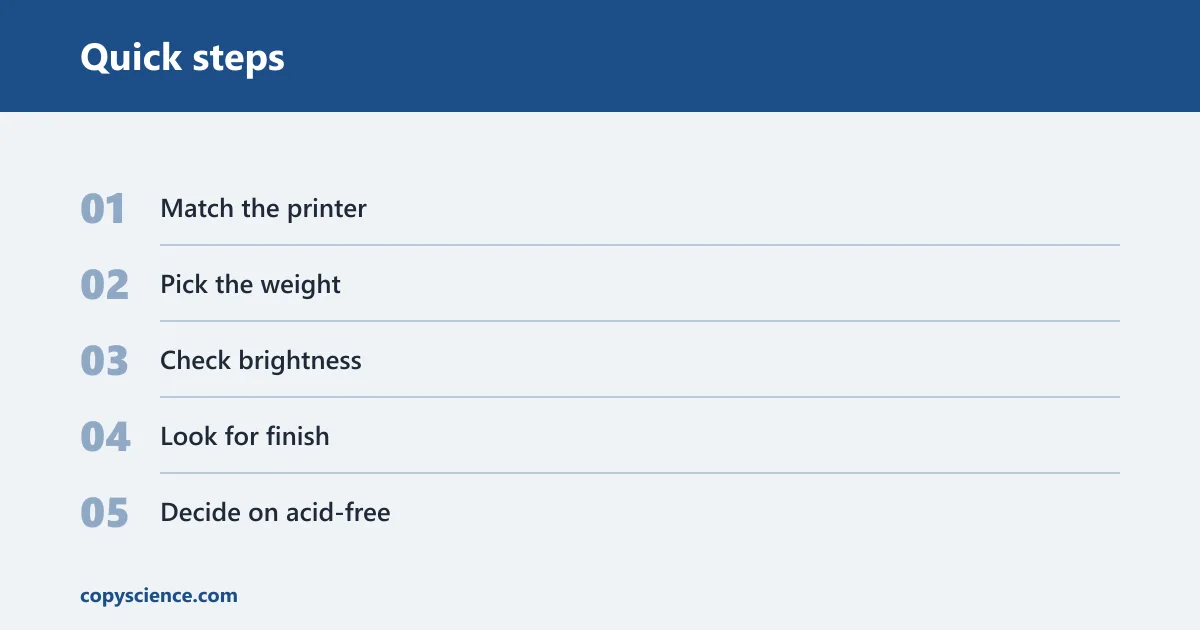
- Match the printer. Use paper that suits inkjet or laser output, and check whether your printer recommends a specific type.
- Pick the weight. Choose 20 lb for drafts and 24 lb when you want better opacity or duplex results.
- Check brightness. Use 92 for everyday work and 97 when you want a whiter, cleaner page background.
- Look for finish. Choose smooth paper for sharper text and general print quality.
- Decide on acid-free. Use it for records, resumes, and pages you want to keep.
- Buy the right pack size. A ream works for light use, a 3-ream pack fits regular home printing, and a 5-ream case usually gives the best bulk value if you print often.
Pack size and value
Pack size is part of the decision. A ream suits light or occasional printing. A 3-ream pack is a practical middle ground for most homes. A 5-ream case can be better value if you print a lot and have the storage space.
Amazon Basics Multipurpose Paper is sold as a 5-ream case, which is the kind of format that makes sense for higher-volume home use. Bulk value helps only when the paper spec still fits the job.
When recycled paper is a good choice
Recycled printer paper can be good for home use if the brightness, texture, and feed behavior are acceptable for your printer. The tradeoff is that recycled stock may look less white or feel a bit rougher, which can matter for resumes or duplex pages.
If your goal is drafts, notes, or internal prints, recycled paper can be a sensible choice. If you want the whitest page background and the cleanest presentation, choose a brighter smooth sheet instead.
What to avoid: photo paper for ordinary text, very thin paper for duplex jobs, and any sheet that causes repeated curl or feed issues. A premium sheet is also overkill for throwaway drafts. The right choice is the one that fits the page, the printer, and how long you need the document to last.
Frequently asked questions
What should I look for when buying printer paper for home use?
Start with the job: drafts, duplex pages, resumes, records, or photos. Then check weight, brightness, finish, and whether the paper is acid-free. For most homes, 20 lb or 24 lb smooth paper in the low-to-mid 90s brightness range is the most practical starting point.
What paper weight is best for home printing?
Twenty-pound paper is fine for most routine home printing. Twenty-four-pound paper is better when you want less show-through, a sturdier feel, or cleaner two-sided pages. If the page will be stored, handed out, or printed heavily, 24 lb is often worth the extra cost.
What brightness is best for printer paper?
For home use, 92 brightness is a strong general choice. If you want a whiter page background and sharper-looking text, 97 brightness is better. Brightness helps the page look cleaner, but it should be balanced with opacity and feed reliability.
Is 20 lb or 24 lb paper better for home use?
Neither is always better. Twenty-pound paper is cheaper and works well for everyday printing. Twenty-four-pound paper gives you more thickness, better opacity, and better duplex performance. Choose 20 lb for volume and 24 lb when presentation or two-sided printing matters more.
Does ColorLok paper make a difference?
Yes, especially on inkjet printers. ColorLok can help ink dry faster, keep blacks bolder, and make text look sharper. It is most useful for text-heavy pages, schoolwork, and mixed text-and-graphics jobs where smudging would be a problem.
What paper is best for double-sided printing at home?
For duplex printing, choose 24 lb paper with good opacity and a smooth finish. That reduces show-through and ghosting. If your printer is an inkjet, ColorLok can help with drying, but opacity and weight still matter most for the back side.