Best Portable Document Scanner for Home Use: Pros and Cons

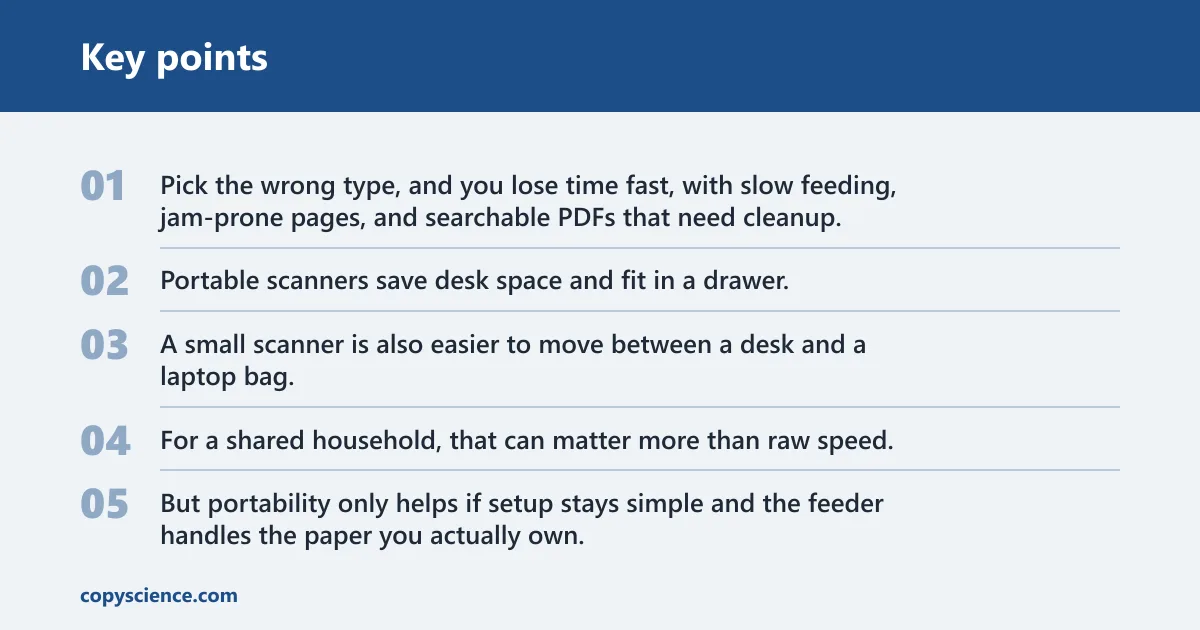
For most home users, the best portable document scanner is a duplex sheetfed model with a 20-page ADF and reliable OCR; choose a single-sheet scanner only if you mostly scan receipts and IDs. Pick the wrong type, and you lose time fast, with slow feeding, jam-prone pages, and searchable PDFs that need cleanup. This guide compares the main portable options by portability, duplex speed, ADF capacity, OCR quality, setup friction, and fit for common home scanning jobs.
Choosing between portability and speed
Why portability helps at home
Portable scanners save desk space and fit in a drawer. They suit homes where scanning happens in bursts, not all day. That matters for tax prep, school forms, insurance paperwork, and remote work files that need a clean PDF, not a camera roll full of crooked images.
A small scanner is also easier to move between a desk and a laptop bag. For a shared household, that can matter more than raw speed. But portability only helps if setup stays simple and the feeder handles the paper you actually own.
Where throughput matters more
Throughput matters once your stack gets past a few sheets. ADF size, duplex scanning, and feed reliability decide whether you finish in minutes or spend the evening refeeding pages. For bills, statements, and student records, manual flipping quickly becomes the slow part.
A portable scanner can still be the right tool for home filing. It stops being the right tool when you need to scan long stacks, mixed paper sizes, or fragile originals that curl, tear, or jam easily. In those cases, a fuller sheetfed model is usually the better fit.
Phone camera versus dedicated scanner
A phone is fine for a quick snapshot. It is a poor substitute for repeatable paperwork. Dedicated scanners give flatter pages, straighter crops, cleaner duplex capture, and OCR output that is far more useful for searchable PDF archiving and later filing.
Phone apps also struggle more with multi-page jobs. You can capture a receipt with a phone, but a box of bills, tax forms, or family records needs better page handling and less manual correction. That is where a scanner earns its keep.
Top portable scanners compared
The home-use comparison comes down to three patterns: a portable ADF scanner, an ultraportable single-sheet scanner, and a larger premium unit built for rapid archiving. The Brother ADS-1350W is Wirecutter’s top pick for portable document scanners, the Brother DS-940DW is its best ultraportable scanner, and the Epson FastFoto FF-680W is the upgrade pick for rapid photo scanning.
| Model | Portability | ADF / duplex | Connectivity | Setup friction | Best fit at home |
|---|---|---|---|---|---|
| Brother ADS-1350W | Compact, easy to store | ADF, duplex scanning | USB-C or wireless | Low for most home offices | Mixed paperwork, routine filing, searchable PDFs |
| Brother DS-940DW | Ultraportable | No ADF; duplex scanning, one sheet at a time | Built-in rechargeable battery | Low for single-sheet jobs | Receipts, IDs, occasional pages, tight storage |
| Epson FastFoto FF-680W | Larger and less travel-friendly | Photo-focused archival scanning | Wireless | Moderate | High-volume photo and document archiving |
Brother ADS-1350W
This is the strongest all-around portable choice for home use because it balances size, speed, duplex scanning, and software quality. Wirecutter calls it fast, accurate, and reliable, and notes best-in-class OCR. It also scans with USB-C or wirelessly to a computer or mobile device.
That mix matters at home. USB-C gives you tethered desk use with less fuss. Wireless gives you room to place it where it fits best, though Wi-Fi setup quality matters more than the logo on the box. For most home filing, this is the portable scanner that asks for the fewest compromises.
Brother DS-940DW
This is the pick if storage space matters more than stack handling. It is Wirecutter’s best ultraportable scanner, it includes a built-in rechargeable battery, and it can do duplex scanning. The limit is simple: it takes only one sheet at a time.
That makes it useful for receipts, IDs, forms, and the occasional letter. It is less useful for a weekend of family records or a month’s worth of bills. If your workflow depends on a paper stack feeding cleanly, this class of scanner is too small.
Epson FastFoto FF-680W
This model is the upgrade path when photo archives or larger batches matter more than portability. Wirecutter names it the upgrade pick for rapid photo scanning. It is larger and pricier, but it suits home users who need faster archival work and can spare the desk space.
Choose it when you want a more serious home archive scanner and can live with the bigger footprint. It is less appealing for someone who wants a drawer-sized machine for bills alone.
What the comparison table should show
When you compare portable scanners, the key fields are not marketing labels. They are feeder design, duplex speed, setup friction, footprint, and likely failure cases. Those details decide whether the scanner fits tax prep, receipts, student records, or a home office inbox that never stays empty.
Pay special attention to ADF versus no ADF. A small ADF can still be useful for home filing if you scan a few pages at a time. Once you begin dealing with multi-page stacks, duplex speed and sheet capacity matter more than tiny size savings.
ADF versus no ADF
An automatic document feeder pulls pages in for you. On a single-pass duplex scanner, it captures both sides in one pass, which cuts manual flipping and keeps pages in order. That is a major benefit for bills, statements, insurance forms, and any paperwork that arrives double-sided.
No ADF can still be the right tradeoff if your workload is mostly single sheets, IDs, or receipts. It is a weaker choice for recurring stacks, because every extra page needs more handling. For home use, the right answer depends on how often you scan more than one or two pages at once.
Duplex speed and sheet capacity
Speed is not only about pages per minute. It is also about how many sheets the feeder accepts, how well it handles mixed paper, and how often it stalls. A roughly 20-page ADF is often enough for home filing because it can cover common bills and forms without making the scanner bulky.
The HP ScanJet Pro 2600 f1, for example, scans up to 25 ppm and 50 IPM and has a 60-page, two-sided, single-pass ADF. The HP ScanJet Pro N4600 fnw1 scans up to 40 ppm and 80 IPM and has a 100-page, two-sided, single-pass ADF. Those figures show why bigger feeders suit heavier home archives.
Setup friction, footprint, and failure cases
Home scanners fail most often on awkward paper, not on polished sheets. Curled receipts, fragile originals, and mixed sizes are common trouble spots. Jam-prone stacks also waste time because each restart breaks the workflow and can distort searchable PDF output if pages are skipped or reordered.
Say your tax folder has four W-2s, three receipts, and a thin medical form stapled flat. A compact ADF scanner can handle that if you remove fasteners and feed similar paper together. Add a curled store receipt and a folded envelope, and the odds of a misfeed rise quickly.
Which portable scanner is best for home use?
For most home users, the Brother ADS-1350W is the best portable document scanner because it combines an ADF, duplex scanning, USB-C or wireless use, and strong OCR in a compact package. Choose the Brother DS-940DW only if your scanning is mostly single sheets, and the Epson FastFoto FF-680W if your archive work is heavier.
Best overall portable pick
The Brother ADS-1350W is the best balance for home paperwork. It is Wirecutter’s top pick for portable document scanners, and that matches the home-use tradeoff well: enough throughput for filing, enough connectivity for desk or mobile use, and enough OCR quality to make PDFs useful later.
Best ultraportable pick
The Brother DS-940DW wins when size is the first requirement. Its battery and one-sheet workflow make it easy to stash and move, but the lack of an ADF limits it to lighter jobs. That is fine for receipts and occasional forms, less fine for family admin or student records.
Best upgrade for heavier archiving
The Epson FastFoto FF-680W makes more sense when home scanning becomes a photo and archive project, not just a filing task. It is the more specialized and less portable option, so it fits users who care more about volume than about drawer space.
Do you need an ADF for home scanning?
Most home users should choose an ADF if they scan bills, forms, school papers, or insurance records more than occasionally. A small feeder saves time, keeps pages in order, and reduces manual handling. Skip the ADF only when your work is mostly single pages, receipts, or IDs.
When a small ADF is enough
A small ADF is enough for routine home filing. It handles short stacks well, which is exactly what many homes scan: a few letters, a bill packet, a school form, or a small tax bundle. The point is not maximum capacity; it is reducing friction on repeat jobs.
When no ADF is the right tradeoff
No ADF makes sense if you scan one page at a time and value the smallest possible scanner. That is common for people who mainly handle receipts, labels, or identity documents. The tradeoff is speed, especially if the work grows from one page into a stack.
Home tasks that need more stack handling
Remote work records, student files, tax prep, and family admin usually cross the line into stack handling. These jobs involve repeated two-sided pages, mixed paper quality, and enough volume that duplex capture and feeder reliability become more important than absolute portability.
How important are duplex scanning and OCR?
Duplex scanning matters a lot for home paperwork because so many bills and forms are double-sided. OCR matters just as much, because the value of a scan often depends on whether the PDF is searchable and the text is usable later. Hardware without good OCR creates more cleanup work.
Why double-sided capture saves time
Duplex scanning captures both sides in one pass, so you do not flip pages manually. That matters for forms, statements, and records that otherwise force you to scan each side separately or sort pages after the fact. It is a small feature with a large time payoff.
What searchable PDFs should do
A good searchable PDF workflow turns a scan into something you can find later. At minimum, the text should be searchable for archiving and home office filing. Better software also improves editable text output, which helps when you need to copy an address, account number, or form field.
What software quality changes in practice
Software quality affects how much cleanup you do after the scan. Good OCR reduces misreads, file naming friction, and manual page sorting. Poor OCR can make a clean scan nearly useless if the text layer is wrong or missing. On a home scanner, that software layer matters as much as the feeder.
Scanner matrix for home use
This decision matrix maps common home scanning scenarios to the scanner type that makes the most sense. It shows where portability is enough, where ADF capacity starts to matter, and where a different class of scanner is the smarter buy.
| Home scenario | Best scanner type | ADF / no ADF | Duplex speed | Setup friction | Storage footprint | Likely failure cases | Choose this if |
|---|---|---|---|---|---|---|---|
| Tax prep packet | Portable ADF scanner | ADF | Moderate to fast | Low | Compact | Staples, mixed paper sizes, curled receipts | You scan a short stack once a year and want searchable PDFs fast. |
| Weekly bills and statements | Portable ADF scanner | ADF | Fast enough for small batches | Low | Compact | Jam-prone piles, folded mail, two-sided pages with notes | You want one device that handles recurring paperwork without much fuss. |
| Receipts and IDs | Ultraportable single-sheet scanner | No ADF | Low, but adequate for one sheet | Low | Very small | Multiple receipts, wrinkled paper, poor crop quality | You scan only a page or two at a time and storage space is tight. |
| Remote work filing | Portable ADF scanner | ADF | Fast | Low to moderate | Compact | Mixed-size inserts, signatures on thin paper, workflow delays | You need clean PDFs and dependable OCR for frequent office paperwork. |
| Student records | Portable ADF scanner | ADF | Fast | Low | Compact | Booklets, torn pages, oversized handouts | You process forms and handouts in batches, not single pages. |
| Photo and archive project | Upgrade archival scanner | ADF for archiving tasks | High for bulk runs | Moderate | Larger | Space limits, mixed photo sizes, slower setup | You have a larger archive and want faster batch scanning over portability. |
Choose Brother ADS-1350W if…
Choose the Brother ADS-1350W if you want the safest home pick among portable scanners. It fits well when you scan bills, tax forms, school records, and remote-work paperwork, and you want USB-C or wireless use without giving up duplex scanning or OCR quality.
- You want one compact scanner for mixed home paperwork.
- You need an ADF for short stacks but not a full-size office machine.
- You care about searchable PDFs and dependable OCR more than battery power.
- You want a portable model that still feels practical on a desk.
Choose Brother DS-940DW if…
Choose the Brother DS-940DW if your scanning stays light and space is at a premium. Its built-in rechargeable battery and duplex scanning are useful, but the one-sheet limit makes it a poor fit for regular stack work. It is the right tool for a smaller, simpler routine.
- You mostly scan receipts, IDs, and single pages.
- You want the smallest scanner in the group.
- You need battery power more than feeder capacity.
- You can accept slower handling in exchange for portability.
Choose Epson FastFoto FF-680W if…
Choose the Epson FastFoto FF-680W if your home scanning project is larger than routine filing. It is the upgrade option for rapid photo scanning and broader archiving, especially when throughput matters more than portability and you have enough space for a bigger machine.
- You are scanning a large archive, especially photos.
- You want a faster, less portable home setup.
- You do not mind paying for a larger, more specialized model.
- You want bulk work to finish faster than a compact portable scanner can manage.
Frequently asked questions
What is the best portable document scanner for home use?
For most home users, the Brother ADS-1350W is the best portable document scanner because it balances ADF handling, duplex scanning, USB-C or wireless use, and strong OCR. It is the least awkward choice for bills, tax prep, student records, and other recurring paperwork.
Is a portable document scanner better than using my phone?
Yes, for serious paperwork. A dedicated scanner handles duplex pages, produces more consistent searchable PDFs, and cuts cleanup time. A phone is fine for a quick capture, but it is weaker for stacks, OCR reliability, and files you need to archive or search later.
Do I need an ADF for home document scanning?
If you scan more than a few pages at a time, yes. An ADF saves time, keeps pages in order, and reduces manual handling. If you mainly scan receipts or single pages, you can skip it, but the workflow gets slower as the volume grows.
Which portable scanner is best for double-sided documents?
A duplex sheetfed scanner with an ADF is best for double-sided documents. The Brother ADS-1350W is the strongest home-use pick here because it handles two-sided pages in one pass and avoids the manual flipping that slows down bills, forms, and statements.
What scanner is easiest to set up for home use?
A scanner with USB-C tethering is usually the easiest start, because Windows can install a local scanner by plugging it in via USB and turning it on. For home use, that lowers setup friction compared with more complicated wireless pairing, especially on a first install.
Which portable scanner works best with Wi-Fi?
The Brother ADS-1350W is the strongest Wi-Fi option in this group because it supports wireless scanning to a computer or mobile device. Wi-Fi is most useful when setup is reliable and you want fewer cables, but USB-C still gives the most predictable desk workflow.