Best Printer for Home Use: How to Choose

Choose by monthly page count first: under 30 pages, a basic inkjet is often a practical choice; about 30-200 pages, a refill-tank inkjet is often a practical choice; above 200 pages, a monochrome laser often costs less to run. Pick the wrong type and you can spend more on ink, paper, and clogged nozzles than the printer saved at checkout. This guide compares inkjet, laser, all-in-one, cartridge, and tank models for occasional, regular, photo, school, and work-from-home printing.
For most homes, the safest default is an all-in-one cartridge inkjet with scan and copy, because it covers color documents, schoolwork, forms, labels, and occasional photos without the higher upfront price of color laser or tank models.
Quick picks
| Home use | Best printer type | Why it wins | Watch-outs |
|---|---|---|---|
| Most homes | All-in-one cartridge inkjet | Lower entry price, color output, scan and copy for forms, homework, and mixed documents | Higher ink cost per page and some dried-ink risk if it sits unused |
| Occasional printing | Monochrome laser | Toner does not dry out like liquid ink, sharp text, low maintenance between uses | No color for school charts or photos |
| Regular family use | All-in-one ink tank | Very low running cost for recurring homework, handouts, labels, and permission slips | Higher purchase price and still an ink system, so it prefers regular use |
| Text-heavy home office | Monochrome laser all-in-one | Lower cost per page, fast text printing, reliable for invoices and draft documents | Photos and color graphics are weak or unavailable |
| Home photos | Photo-focused inkjet | Better color gradation and photo-paper handling than most lasers | Ink cost is high if photos are frequent and standard paper output is only average on some models |
Best overall for most homes
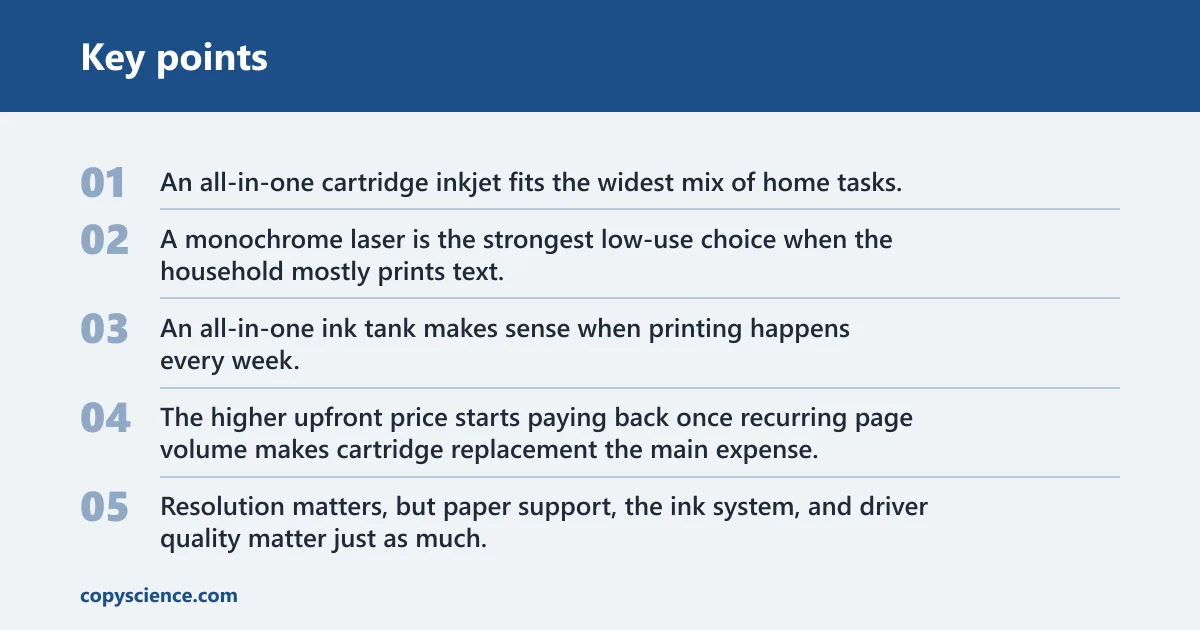
An all-in-one cartridge inkjet fits the widest mix of home tasks. It prints color worksheets, return labels, recipes, and short reports, and the scanner handles forms and school packets that still need a digital copy.
Best for occasional printing
A monochrome laser is the strongest low-use choice when the household mostly prints text. It can sit for weeks without the nozzle-clog risk that comes with liquid ink.
Best for frequent family use
An all-in-one ink tank makes sense when printing happens every week. The higher upfront price starts paying back once recurring page volume makes cartridge replacement the main expense.
Best for home photos
A photo-focused inkjet remains the better choice for snapshots, glossy paper, borderless prints, and mixed-color images. Resolution matters, but paper support, the ink system, and driver quality matter just as much.
Home printer decision matrix
This matrix uses a simple 1-5 score, with 5 as the strongest rating. Upfront cost means a lower purchase cost scores higher. Maintenance risk means a lower risk scores higher. The goal is not brand comparison. It is to show which printer type still fits once print frequency, dried-ink risk, and scan needs are treated as first-order decisions.
| Usage pattern | Printer type | Upfront cost | Running cost | Photo quality | Text quality | Maintenance risk | Ease of setup | Recommendation |
|---|---|---|---|---|---|---|---|---|
| Under 30 pages per month, mostly text | Monochrome laser | 3 | 4 | 1 | 5 | 5 | 4 | Best low-use pick |
| Under 30 pages per month, some color forms | Cartridge inkjet all-in-one | 5 | 2 | 3 | 4 | 2 | 4 | Buy only if color is required |
| 30-200 pages per month, mixed home printing | Ink tank all-in-one | 2 | 5 | 4 | 4 | 3 | 3 | Best total-cost balance |
| Regular homework, scan and copy, family sharing | Cartridge inkjet all-in-one | 4 | 2 | 3 | 4 | 3 | 4 | Good if volume stays modest |
| Above 200 pages per month, text-heavy work | Monochrome laser all-in-one | 3 | 5 | 1 | 5 | 5 | 4 | Usually cheapest to own |
| Frequent color handouts and charts | Color laser all-in-one | 1 | 4 | 2 | 5 | 5 | 3 | Worth it for steady color documents |
| Photo printing on glossy paper | Photo inkjet | 3 | 2 | 5 | 4 | 3 | 3 | Best output for photos |
How the matrix scores each printer type
The matrix gives laser high marks for maintenance because toner can sit unused without drying into clogged nozzles. Ink tank scores highest on running cost because refill bottles usually beat cartridges on cost per page. Cartridge inkjet scores high on upfront cost because entry pricing is often lower than tank or color laser.
Best match by home scenario
If you print text only once in a while, buy a monochrome laser. If your family prints every week, an ink tank all-in-one usually fits better once page counts are high enough for refill savings to matter. If photo printing matters, choose inkjet. Mixed, lower-volume home use still leans toward a basic all-in-one inkjet because it covers more jobs for less money at checkout.
When the matrix points to laser over inkjet
Laser wins when pages are mostly text, color is optional, or the printer may sit idle for long stretches. It also wins when cost control depends on fewer consumable surprises, since cleaning cycles on inkjets can waste ink before a single page prints.
When paying more upfront saves money later
An ink tank or laser can look expensive next to a cheap cartridge model, then cost less over a year once printing becomes routine. Suppose a household prints weekly school packets, forms, and draft pages. That pattern quickly turns small cartridges into the expensive option.
How do you choose the best printer for home use?
Start with monthly page count, then decide if the home needs color, photos, or only text. After that, check if scan, copy, and automatic duplex matter. The best home printer is usually the one that matches frequency first, because running cost and maintenance trouble follow directly from how often it prints.
Start with how often you print
Frequency sets the whole buying logic. Under 30 pages per month is often low enough that dried ink can become a real ownership problem. Between 30 and 200 pages, low refill cost starts to matter. Above 200 pages, laser often becomes the money-saving choice, especially for text.
Picture a home that prints ten shipping labels and one school permission slip in a month, then nothing for three weeks. That is a poor fit for a tank printer, even if the bottle refills look cheap, because the volume is too low to offset the higher entry price and ongoing ink-management risk.
Decide whether you need color, photos, or only text
If the home prints only black text, a monochrome laser can cut a lot of cost and hassle. If schoolwork includes charts, teacher handouts, or color forms, color matters. If the goal includes glossy photos or borderless prints, inkjet is still the right direction.
Color laser can make sense for frequent charts and graphics, but it is usually a document machine, not a photo machine. Home users often overbuy color when a black-and-white laser plus occasional store photo printing would cost less overall.
Check scan, copy, and duplex needs
An all-in-one printer adds scanning and copying, and that matters more than many buyers expect. A flatbed scanner is enough for occasional single pages or photos. An automatic document feeder, often called an ADF, matters when the home scans multi-page forms, school packets, or signed documents.
Automatic duplex printing is worth paying for in many homes. It cuts paper use and makes reports, recipes, reading packets, and study materials easier to handle. Manual duplex works, but it gets old fast in shared households.
Estimate total cost of ownership before you buy
- Count monthly pages. Use a real estimate, not a guess from one busy week. Split pages into black text, color documents, and photos because those categories drive different costs.
- Check cartridge or toner yield. Most manufacturers list a page yield and a replacement part number. Divide the consumable price by the listed yield to estimate cost per page, then remember color pages often use more than one supply.
- Add maintenance waste. Inkjets use ink for cleaning cycles, especially after long idle periods. If the printer may sit unused for weeks, treat the listed ink yield as an upper bound rather than a promise.
- Price the scanner function. If the home needs copies, signed form scans, or ID scans, adding a separate scanner later usually costs more and takes more space than buying an all-in-one now.
- Check the fallback connection. Wi-Fi setup fails often enough that a USB port still matters. For non-technical households, a printer that works over USB when the app misbehaves is easier to live with.
What printer is best if you print only occasionally at home?
A monochrome laser is usually the best occasional-use home printer because toner does not dry out like liquid ink, text looks sharp, and the printer can sit for weeks with less maintenance trouble. A cartridge inkjet still makes sense only when occasional color printing or photo printing matters more than low upkeep.
Why monochrome laser often wins for low-volume printing
Infrequent printing is where many cheap inkjets get expensive. Printheads can clog, startup cleaning can consume ink, and replacing tiny cartridges can cost more than expected. Laser printers avoid the dried-ink problem and are usually faster at plain text, measured in pages per minute, or ppm.
When a cartridge inkjet still makes sense
Choose a cartridge inkjet for low-use homes only if color is genuinely needed. That includes schoolwork with color diagrams, occasional greeting cards, or a few photo prints a month. In that case, lower entry cost may matter more than long-term efficiency.
A common first-timer mistake is buying the cheapest all-in-one inkjet for a spare room, printing one boarding pass every few weeks, then finding faded text or missing colors the next time it is needed. The problem is often low use, not a bad document file.
How to avoid dried ink and clogged nozzles
- Print a test page. Run one small color or black page every week or two if the printer uses liquid ink. Regular flow helps keep nozzles wet and reduces heavy cleaning cycles.
- Leave it powered properly. Many inkjets manage maintenance better when shut down with the power button instead of a switched outlet. That allows the carriage to park and seal more effectively.
- Use plain-paper checks. Print a nozzle or quality pattern on standard paper before an urgent job. Catching missing lines early wastes less ink than repeated failed photo prints.
- Avoid long idle storage. If months may pass between jobs, laser is the safer technology. Ink that never moves is the condition that causes the most ownership complaints.
Features worth paying for in a low-use home printer
USB matters. Wi-Fi is useful, but a fallback cable path matters more when the printer is only used a few times a month and no one wants to debug a network issue. Automatic duplex is still useful, while high ppm matters less here.
Which printer type is best for regular family use?
For regular family printing, an all-in-one model is usually the right shape, and an ink tank version is often the best fit once volume is steady. The scanner, copier, duplex printing, and lower running cost matter more here than the lowest purchase price.
Why all-in-one models fit school and household tasks
Family printing is rarely just printing. It includes signing and scanning forms, copying worksheets, printing labels, and making duplicates of handouts. That is why all-in-one models dominate home use. The extra function solves routine chores without another device.
Ink tank vs cartridge for recurring homework and forms
Cartridge models fit families with modest, uneven output. Ink tank models fit homes that print every week and go through enough paper that refill economics have time to work. A common rule of thumb is to lean tank once the home is solidly in the 30-200 page monthly range and stays there.
Duplex printing, scanner type, and paper handling that matter at home
Automatic duplex is one of the most useful home features because family printing often includes multi-page homework packets, permission forms, and reference material. ADF scanning matters if the home routinely scans multiple pages. Paper tray size and covered trays matter if the printer stays out full-time and gathers dust.
When a color laser is worth the extra cost
Choose color laser when the home prints lots of charts, schedules, presentations, and school handouts, but does not care much about photo quality. It costs more upfront, takes more space, and runs hotter, yet it can be the better document machine in a busy household.
Should you buy an inkjet or laser printer for home?
Buy inkjet for photos, mixed color documents, and lower upfront pricing. Buy laser for text-heavy printing, lower maintenance risk, and better long-run economy at higher page counts. The real divider is not brand or maximum dpi. It is document type plus how long the printer may sit unused.
Text quality, photo quality, and document type
Laser printers are strong at crisp text on plain paper. Inkjets are stronger at photo output and smoother color gradation, especially on coated media. For mixed home use, that difference matters more than headline resolution figures.
Upfront price vs cost per page
Cheap cartridge inkjets lower the barrier to entry, but consumables can erase that advantage. Laser and tank printers often ask for more money at checkout, then recover it with lower per-page cost over time. That is why purchase price alone misleads home buyers.
Maintenance risk: toner storage vs liquid ink drying
Toner is a dry powder, so a laser printer avoids the dried-nozzle issue that affects idle inkjets. Inkjet owners need to think about cleaning cycles, clogs, and cartridge expiration. That does not make inkjet bad. It makes it more sensitive to long idle periods.
Noise, size, and heat in a home setting
Laser printers are often larger and can run warmer during jobs. Inkjets are usually smaller and easier to fit on a shelf or desk. If the printer lives in a bedroom, kitchen corner, or small apartment workspace, size and operating noise deserve a real look.
Should you choose a cartridge or tank printer for home use?
Choose cartridge when printing is light, irregular, and budget-sensitive at checkout. Choose tank when printing is frequent enough for low refill cost to matter month after month. The break-even point varies by model, but steady volume is the condition that makes a tank printer make financial sense.
The page-volume break-even point
There is no universal page number because consumable pricing differs by model, but a practical home rule is simple: below 30 pages per month, tank economics are usually weak; from 30 to 200 pages, tank becomes worth serious consideration; above that, laser may beat both for text-heavy work.
Who should choose cartridge printers?
Cartridge printers fit casual users who want a low entry price, simpler supply replacement, and mixed color output without a higher initial spend. They also fit homes where printing volume swings a lot from month to month.
Who should choose ink tank printers?
Ink tank printers fit consistent users: families with weekly homework, crafters printing patterns, or home offices that need color documents often. Their main strength is low operating cost, but they still work best when used often enough to keep ink moving.
Hidden cost traps to check before buying
Check if black and color supplies are separate, if starter consumables are smaller than replacements, and if head-cleaning cycles are frequent. Also check if photo paper support is real or limited to a narrow size list. A cheap printer with expensive cartridges is a common home-buying trap.
What features matter most before you buy?
The most important features are the ones tied to actual chores: scan and copy for paperwork, automatic duplex for schoolwork, USB and reliable Wi-Fi for setup, and consumables that fit the home’s page volume. Speed, dpi, and app extras matter less than those day-to-day basics.
All-in-one scanning: flatbed vs ADF
A flatbed is enough for the occasional signed page, photo, or ID card. An ADF matters for multi-page packets because it feeds pages automatically. Duplex ADF scanning is even better, though many homes do not need to pay extra for it.
Connectivity: Wi-Fi, USB, mobile printing, and AirPrint
Wi-Fi is useful for shared homes, but USB remains the best fallback. Mobile printing support, including AirPrint or similar systems, matters if the household prints from phones and tablets. Setup friction often comes from apps and network pairing, not from printing itself.
Say your home router gets replaced and the old app can no longer find the printer. A USB connection keeps the printer usable while the wireless setup gets fixed. That backup path matters more to non-technical users than an extra few ppm on the spec sheet.
Print speed and print resolution without spec-sheet confusion
Print speed is usually listed in ppm, and text ppm is the figure that matters most for home users. Photo speed is slower and less comparable across brands. Print resolution is listed in dpi, but higher dpi alone does not guarantee better output because ink placement, paper, and driver tuning also shape the result.
Ease of setup for non-technical users
Look for a clear control panel, straightforward paper loading, separate black and color supplies, and setup paths that do not depend on one mobile app. Printers are easier to live with when they offer USB, visible status messages, and simple replacement steps.
Frequently asked questions
Which printer is cheapest to run for home use?
For frequent color printing, ink tank printers are often the cheapest to run because refill bottles usually lower cost per page. For heavy text printing, monochrome laser is often cheaper overall. Cheap cartridge printers usually have the highest long-term consumable cost.
Do I need an all-in-one printer for home use?
An all-in-one is worth it if the home scans signed forms, copies worksheets, digitizes receipts, or shares one machine across school and office tasks. If the household only prints text and never scans, a print-only laser can be simpler and cheaper.
What features matter most for printing photos at home?
Prioritize an inkjet with strong photo-paper support, good color handling, and appropriate cartridge or tank costs for the expected volume. High dpi alone is not enough. Borderless printing support, paper compatibility, and consistent color output matter more than the biggest resolution number.
How important is duplex printing for a home printer?
Automatic duplex is one of the most useful home features because it saves paper and makes reports, school packets, and reference pages easier to manage. It is less important for occasional single-page use, but very useful in family or home-office settings.
How do I avoid buying a printer that dries out?
Match the printer to actual use frequency. If printing is infrequent, a monochrome laser is usually the safest choice because toner does not dry out like ink. If color inkjet is necessary, print a small test page regularly and avoid leaving it idle for long stretches.